Comparisons
Convinci vs Meta's built-in AI ad tools for catalog ads
Convinci team. Published 2026-10-12, updated 2026-10-12.


Meta has added real AI to Ads Manager. It can suggest a new background for a product photo and stretch an image to fit Reels. It can turn a still photo into a short video and write versions of your ad text. Most of it is free, and it is getting better.
So why use a separate tool for catalog ads? Sometimes you should not. This page compares them fairly. We checked Meta's pages and announcements on October 10, 2026. Features roll out at different times, so some may not be on your account yet.
This page is about Meta's newer AI features. For Meta's older catalog editor (image templates, overlays and frames), read Convinci vs Meta's catalog ad editor.
The short answer
Meta's AI works on one image, one ad or one rule at a time, inside Ads Manager. It is free and built in.
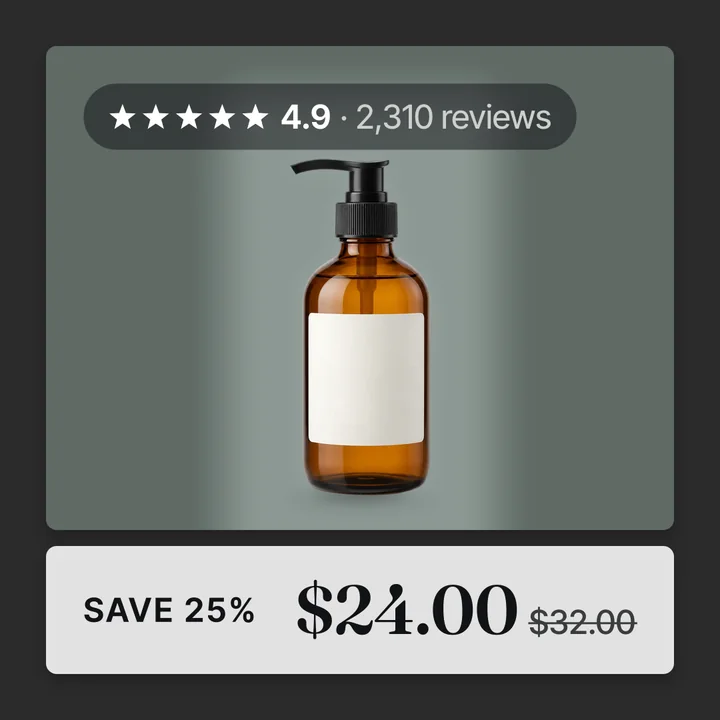
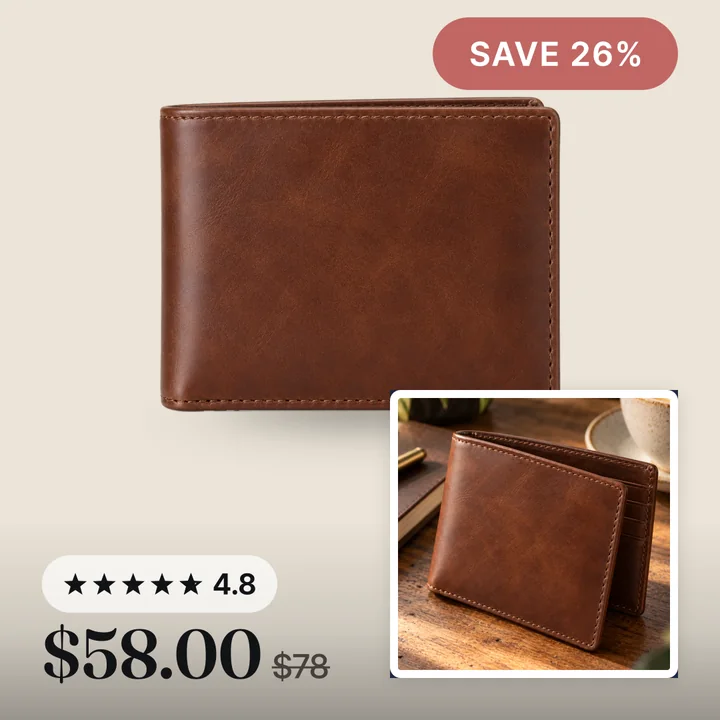
Convinci does one job. It puts one design on every product in your catalog: your badge, price, star rating and logo, from your own photos and prices. You see each card before it goes live. The cards reach your ads through one feed link, so your ads are not edited.
If you want free AI suggestions, use Meta. If you want your whole catalog on brand, and a new look for every promo, use Convinci. Many stores can use both.
What Meta's AI tools do
- Background generation. Suggests new backgrounds for a product photo. In catalog ads it can show a few suggestions per product, and you pick.
- Image expansion. Adds pixels at the edges so a square image fits a tall placement.
- Image to video. Turns a still photo into a short video ad. Meta said on October 6, 2026 that this is generally available.
- Text variations. Writes other versions of the ad text you wrote.
- An AI assistant in Ads Manager that suggests changes. Meta describes letting it act for you as in testing.
Meta's Advantage+ creative for catalog developer page lists catalog features like image touch ups, catalog video and dynamic overlays, each with its own switch.
Side by side
| Meta's AI tools | Convinci | |
|---|---|---|
| Cost | Free, built into Ads Manager | Free for 10 products, Pro $99 a month |
| Works on | One image or ad at a time | Every product in the catalog at once |
| Your brand on every card | No single design across the catalog | Yes, one design, every product |
| Real sale badge from your prices | Overlays can show price or percent off | Yes, from your Shopify compare-at price |
| Star rating on the card | Not an AI feature we found | Yes, when you have reviews |
| See it before it runs | Review each suggestion | You see each card before it goes live |
| Use the picture outside Meta | Not allowed by Meta's AI terms | Yes, download any card as a file |
| Changes the ad | Set on the ad or ad set | No, only catalog pictures change |
| A new look for each promo | Build or edit the ad | Make a look, scheduled dates on the Pro plan |
| Video from a photo | Yes, image to video | Not yet |
Who owns the pictures

Meta's generative AI terms say: "Use or publication of Output outside of Meta's platforms is unauthorized and a violation of these Terms."
So a picture Meta's AI makes for your ad is for Meta only. We read those terms on October 10, 2026. Terms change, so check the page.
Convinci cards are image files made from your own photos. You can download any card and use it in an email, on your site or on another ad platform.
When Meta's free tools are enough
Meta's tools are probably enough if:
- A new background or a quick video is what you want.
- You do not need a star rating or a real sale badge on the picture.
- You only advertise on Meta.
- You are building a new ad anyway, so editing the ad costs you nothing extra.
We would rather say that plainly than pretend otherwise.
When Convinci is worth it
- You want one brand design on every product in your catalog.
- You change the look for each promo and want to skip a new ad each time. Meta's significant edits page lists a new ad and any change to ad creative as edits that restart learning. With Convinci you make neither.
- You want the percent off to match your real Shopify prices.
- You want files you can use outside Meta.
To see your own products, try the free preview. For the full field of tools, read best tools to design Meta catalog ads.
Questions
- Doesn't Meta already have AI for catalog ads?
- Yes, and it is worth trying. It can suggest backgrounds, expand images and make video from a photo, for free. It does not put one design with your real prices and ratings on every product in your catalog at once.
- Can I use both Meta's AI and Convinci?
- Yes. Convinci changes the product pictures in your catalog through a feed. Meta's AI features are switched on or off in your ads. Check which features you have on, so you know what shoppers see.
- Can I use Meta AI images on Google or TikTok?
- Meta's generative AI terms for ad creative say using the output outside Meta's platforms is not allowed. Convinci cards are files you can download and use anywhere.
- Do I see Convinci's cards before they run?
- Yes. You see the finished card for your own products, with your price, badge and rating, before anything goes live.
See these badges on your own products before you pay anything.
Try the free previewFree for 10 products. See pricing.