Catalog ads
Meta catalog frames replacement: what to use after Oct 30, 2026
Convinci team. Published 2026-09-26, updated 2026-10-07.

If your catalog ads (also called dynamic product ads, or DPA) use a frame, you have a date to plan around. Meta is ending frames. You need to pick what takes their place before it happens.
This page covers what Meta said, what we know about the switch, and your three options. Then it gives you the steps to move off frames without a mess.
What frames are and what Meta said
A frame is a graphic, like a border or a logo. It sits over the product images in a catalog ad. You set it on the ad. In Ads Manager the path is Ad creative, then Creative tools, then Edit creative, then Add a frame.
The frame image had to be square, under 1 MB, and at least 1080 x 1080. Meta suggested a clear background so the product shows through.
Here is the line from Meta's frames help page: "Frames are being replaced by image templates. They will no longer be available after October 30, 2026."
We read that page again on October 7, 2026. The date and the wording had not changed.
The same page says frames are not an option for ad placements on Instagram. So a frame only ever showed on part of your spend.
What happens to ads with a frame
Meta does not say what happens after that date to a live ad with a frame. What we know is short. Frames will no longer be available, and image templates are the stated replacement.
So do not wait to find out. Does a frame carry your brand or your sale? Then move that job before October 30.
The three frame replacements
You have three ways to put a design on catalog ads after frames go. Each one is a frame replacement, and each works in a different place.
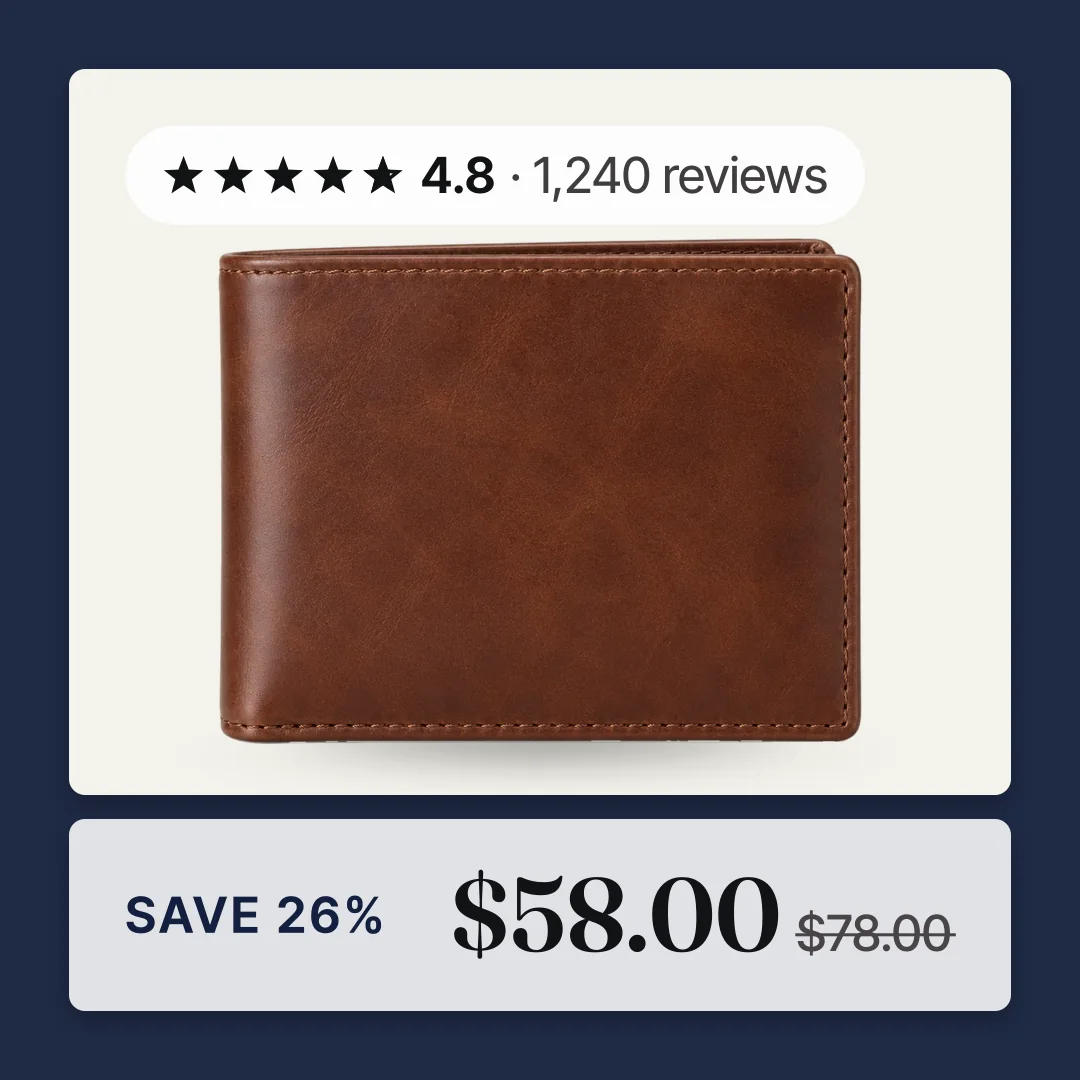
The frame above is part of the image, not a Meta frame. It comes through the catalog feed, so the end of Meta frames does not touch it.
Meta image templates. You build these in Commerce Manager, under Catalog, then Image templates. You add layers such as price, title, a logo image, text, shapes and a background color. You can show a layer only when a rule on a product field is met, such as price. Templates start at 1:1, and you can copy them to 4:5. They work on single image and carousel ads, not collection. Meta says the feature is being rolled out slowly and may not be on your account yet. See Meta's free catalog ad templates for more.
Dynamic overlays. These put catalog data, like price or percent off, in a label on the ad image. You turn them on in the ad's Advantage+ creative section. Meta says they only show on Facebook Feed.
Designed product images in a supplementary feed. Here the design is part of the image itself. A tool like Convinci draws your store name, price, sale badge and reviews onto each product photo. It then sends the new images to Meta through a supplementary feed that swaps only the image links. Your ad sets stay as they are, and the ad is not edited.
Steps to move off frames
- Check which ads use a frame. Open each catalog ad in Ads Manager and look under Creative tools for a frame.
- Write down what the frame does for you, like a logo, border or sale message.
- Pick the replacement: an image template, dynamic overlays, or designed images in a supplementary feed.
- Build it. Make the template, set the overlays, or set up the feed in your tool.
- Preview it on a few real products, including one on sale and one with a long title.
- Apply it. Templates and overlays are set on the ad. A supplementary feed is added to the catalog, not the ad.
- Know the cost of editing a live ad. Removing a frame or adding a template or overlay changes the ad creative, so learning restarts.
- Plan the switch for a quiet week. Or copy the ad and test the new one first.
Swapping a frame restarts learning
Meta lists "Any change to ad creative" as a significant edit on its significant edits page. It also says "Only a significant edit causes an ad set to reenter the learning phase."
Taking off a frame and choosing a template are both edits to the ad creative. So the ad set goes back into learning. During learning, Meta says ad sets are less stable and usually have a higher cost per result.
A supplementary feed works in a different place. It changes the images in the catalog, not the ad. Meta does not list catalog item updates as a significant edit. Meta also does not promise they never matter. Read more in does changing catalog images reset learning.
The options side by side
| Image templates | Dynamic overlays | Supplementary feed images | |
|---|---|---|---|
| Where the design lives | On the ad | On the ad | In the catalog images |
| Placements | Not limited on Meta's page | Facebook Feed only | Wherever the catalog image shows |
| Formats | Single image and carousel | Catalog ads | Any catalog ad format |
| Cost | Free | Free | Convinci has a free plan and paid plans |
| Set up by | You, in Commerce Manager | You, on the ad | A tool, like Convinci |
| Edit live ad to add | Yes | Yes | No |
| Available now | May not be on your account yet | Yes | Yes |
Pick image templates if a simple price label is enough and you are building a new ad anyway. Pick dynamic overlays if you only care about Facebook Feed. Pick designed images if you want your brand, reviews and a real sale badge on every placement.
One thing to watch with the feed route. The catalog also feeds Facebook Shop, Instagram product tags and Marketplace. A badge image can show there too. If you sell on those surfaces, turn off the sale badge. Convinci hosts every image and gives you one feed link either way.
Want to see your own products with a design? Paste your store link into the free preview. Plans are on the pricing page. For more ideas, read catalog ad templates and how to add sale badges.
Used frames for your logo? Read how to add your logo to catalog ads. Planning a sale? See our Black Friday catalog ads plan.
Questions
- Are Meta catalog frames going away?
- Yes. Meta's help page says frames are being replaced by image templates. It says they will no longer be available after October 30, 2026. Plan your switch before that date.
- What replaces frames?
- Meta names image templates as the replacement. You can also use dynamic overlays for price labels. Or put your design into the product image with a supplementary feed.
- Do frames work on Instagram?
- No. Meta's frames page says the option is not available for ad placements on Instagram. So on Instagram, your ads ran without the frame. A design inside the product image shows on every placement.
- Will switching to image templates reset learning?
- Yes. You choose a template on the ad. Meta lists any change to ad creative as a significant edit. So the ad set goes back into learning. Plan it for a quiet week.
- Can I keep my border and logo?
- Yes. An image template can hold your logo as an image layer and a background color. Or a tool like Convinci can draw a border and logo into each product image through a feed.
See these badges on your own products before you pay anything.
Try the free previewFree for 10 products. See pricing.
 Your store