Product feeds
How to add a supplementary feed to your Meta catalog
Convinci team. Published 2026-10-08, updated 2026-10-13.
 Your store
 Your card
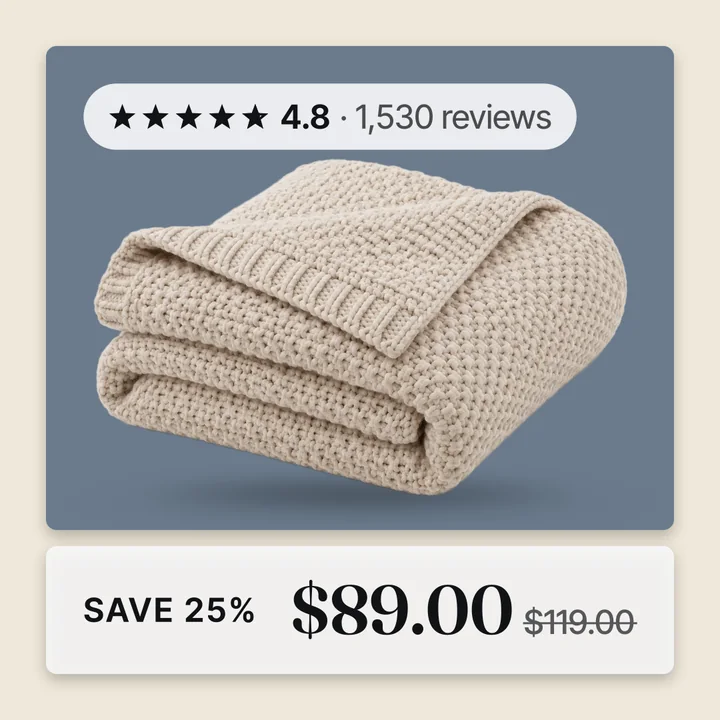
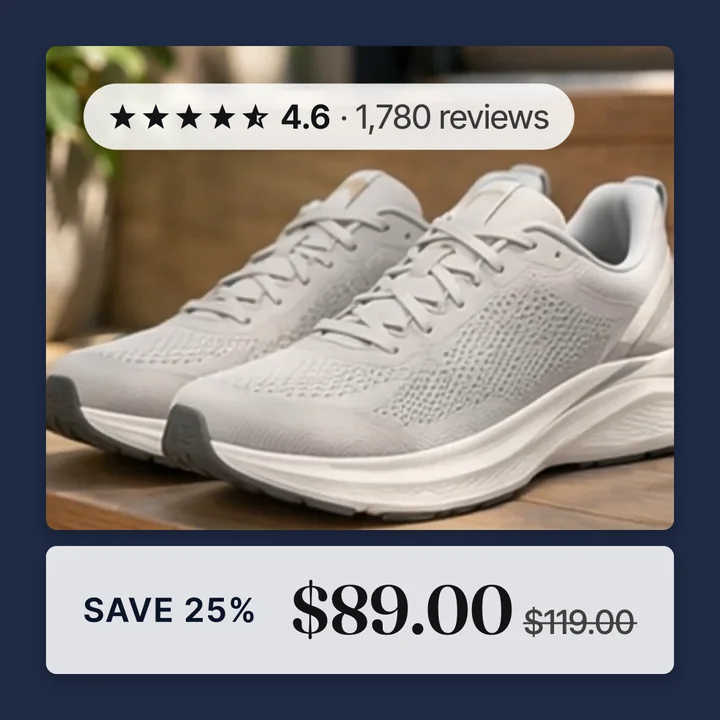
Convinci gives you one feed link. By default it is a supplementary feed. It is built to add the badged, branded version of your product images on top of the catalog your store already sends to Meta. Your prices, stock and titles keep coming from your store. Only the pictures change.
Most stores never need anything else. A full feed, where Convinci sends your entire catalog, is an advanced option for a smaller set of stores. More on that below.
What supplementary means here
Your store, usually through the Facebook and Instagram sales channel, already sends a full catalog feed to Meta. Every product, every price, every stock level, all coming from your own store data.
That feed keeps running on its own either way. Convinci's supplementary feed sits beside it and overrides two fields, image link and additional image link, for the products in your account. It does not add products. It does not touch price or stock, ever.
That split keeps one thing true. If Convinci's feed ever goes offline, your store's own feed keeps running the catalog. Meta falls back to your store's plain product photos. Nothing about your prices or inventory is ever at risk, no matter what happens on the image side.
Add it in Commerce Manager
- On your Convinci account page, press Copy next to your feed link.
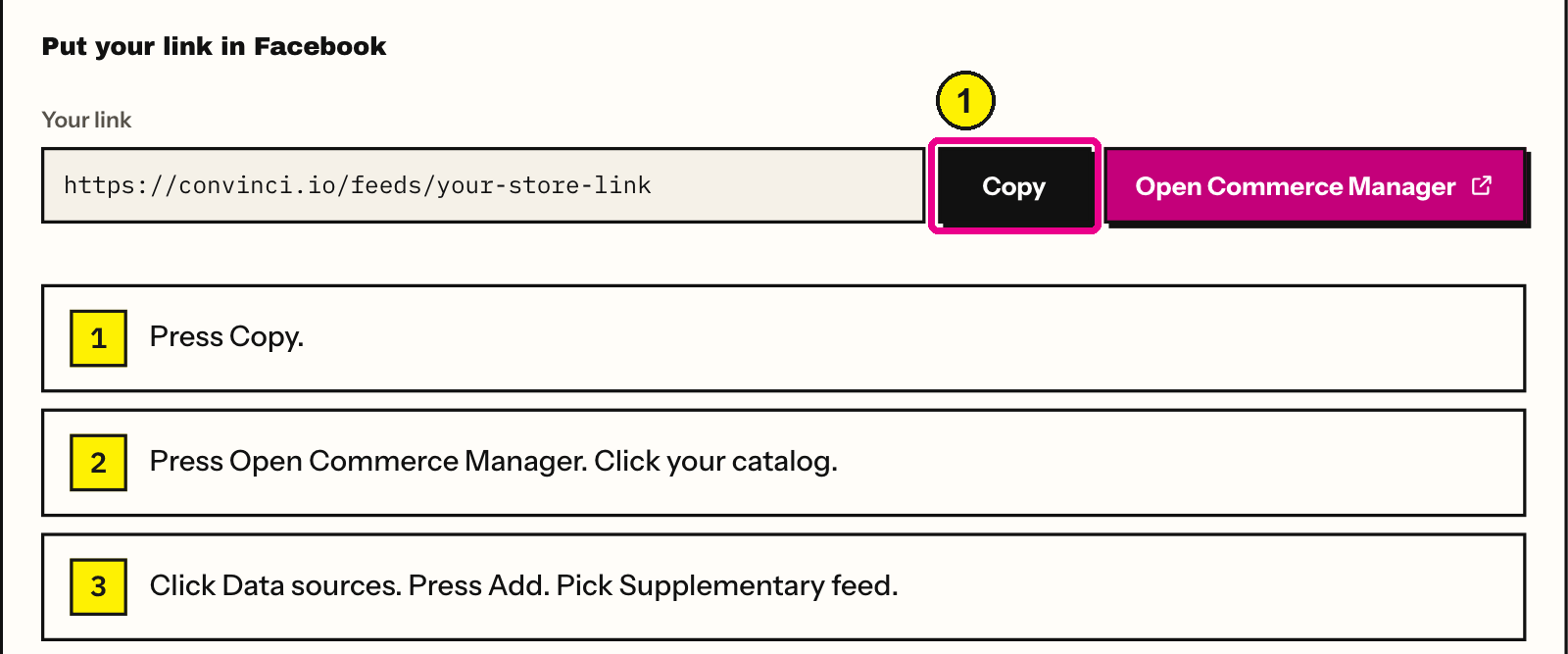
Convinci account page, Your link. Screens as of Oct 2026. - Press Open Commerce Manager. Click your catalog.
- Click Data sources. Press Add. Pick Supplementary feed.
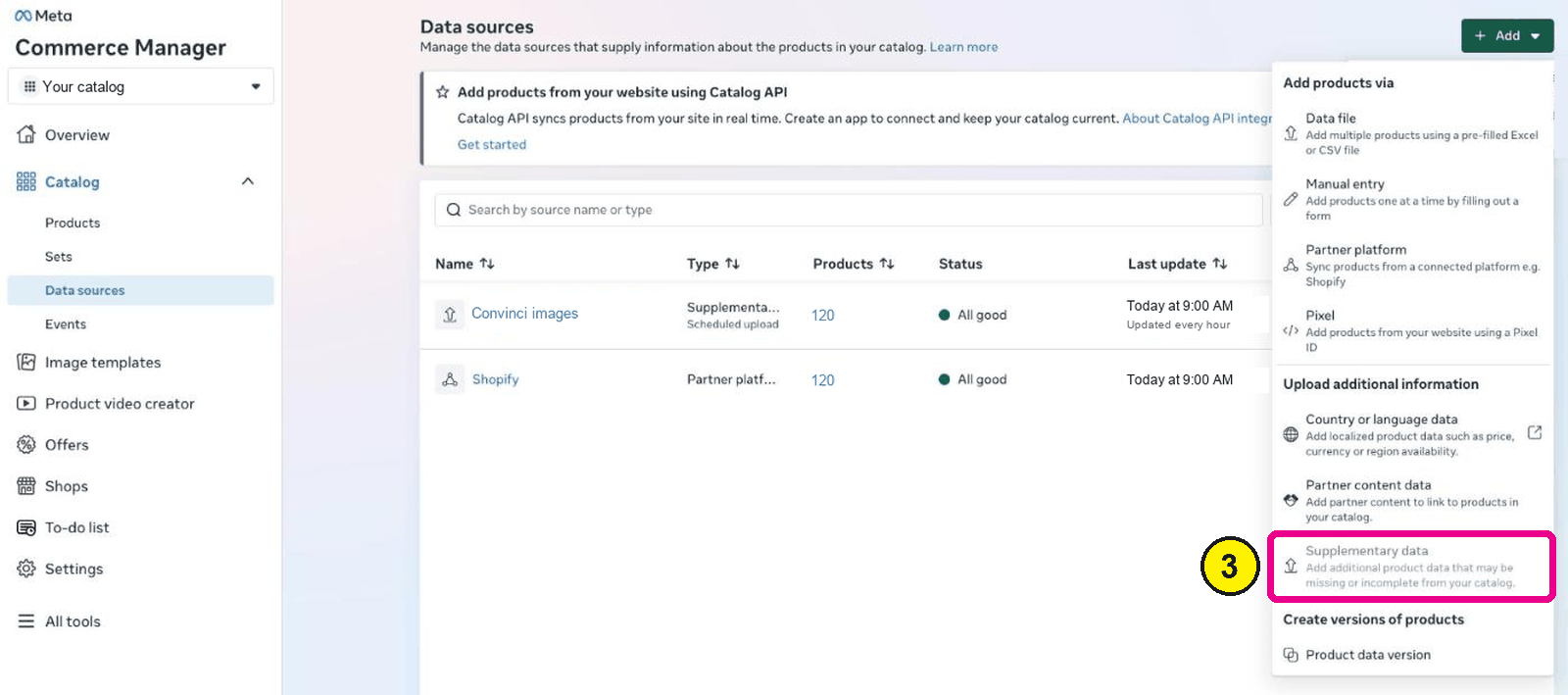
Commerce Manager, Catalog, Data sources, Add. - Paste your link. Press Save.
- Open one product in Commerce Manager and confirm the image changed.


Meta fetches the link on its own schedule after that. The first fetch can take a little while to reach your products. See how to request a Meta catalog update if you want to push it sooner.

One more step is not optional. Meta also needs to know your Convinci feed should win for Image. See Meta catalog data source priority explained. Adding the feed alone does not guarantee Facebook shows it, since a new feed usually starts at the bottom of the ranking, not the top.
Why supplementary is the default
Most merchants already have a working catalog feed from their store. Replacing it outright would mean trusting a new source for price and stock, not just pictures. That is a bigger change than most stores want to make on day one. A supplementary feed adds the one thing Convinci is actually built for, without touching anything that already works.
When a full feed makes sense
A full feed replaces your main catalog feed instead of sitting on top of it. It fits a few cases:
- You do not already have a working catalog feed, and want Convinci to be the only source.
- You want price and stock, not just images, to come from Convinci.
- You are moving off another feed tool and want one feed doing the whole job.
Most Shopify stores already connected through the Facebook and Instagram sales channel do not need this. Switching to a full feed makes Convinci, not your store, responsible for keeping price and stock current. Ask in the help widget if you are not sure which one fits.
Questions
- Is a supplementary feed the default?
- Yes. Your Convinci feed link is a supplementary feed unless you turn on the full feed option. It changes your product images and leaves the rest alone.
- Can a supplementary feed add new products?
- No. It only overrides fields on products already in your catalog. See ["Some product content IDs do not match"](/learn/meta-content-ids-do-not-match-error).
- Do I need to pick a feed type to start?
- No. Supplementary is the default most stores use. You can look at the full feed option later from your feed settings.
- Will adding the feed change my prices?
- No. A supplementary feed from Convinci only carries image fields. Price and stock keep coming from your store's own feed.
- Does switching to a full feed undo my supplementary setup?
- Yes, in effect. A full feed replaces the main feed rather than adding to it, so the roles change for every field, not just images.
- Can I switch back from a full feed later?
- Yes. You can return to a supplementary feed at any time from your feed settings. Your store's own main feed needs to still be set up.
See these badges on your own products before you pay anything.
Try the free previewFree for 10 products. See pricing.