Sale and promotion
Black Friday catalog ads (DPA), a step by step plan for 2026
Convinci team. Published 2026-09-26, updated 2026-10-13.

Black Friday 2026 is Friday, November 27. Cyber Monday is November 30. Your catalog ads (also called dynamic product ads, or DPA) will run in the most crowded week of the year. They sit next to every other store's sale.
The work that decides how they do happens weeks before. Here is the plan, in order.
Steps to get catalog ads ready for Black Friday
- Check your catalog in early October. Filter products by issues in Commerce Manager and fix them at the source.
- Check your pixel and match rate. Meta recommends a catalog match rate of 90% or higher.
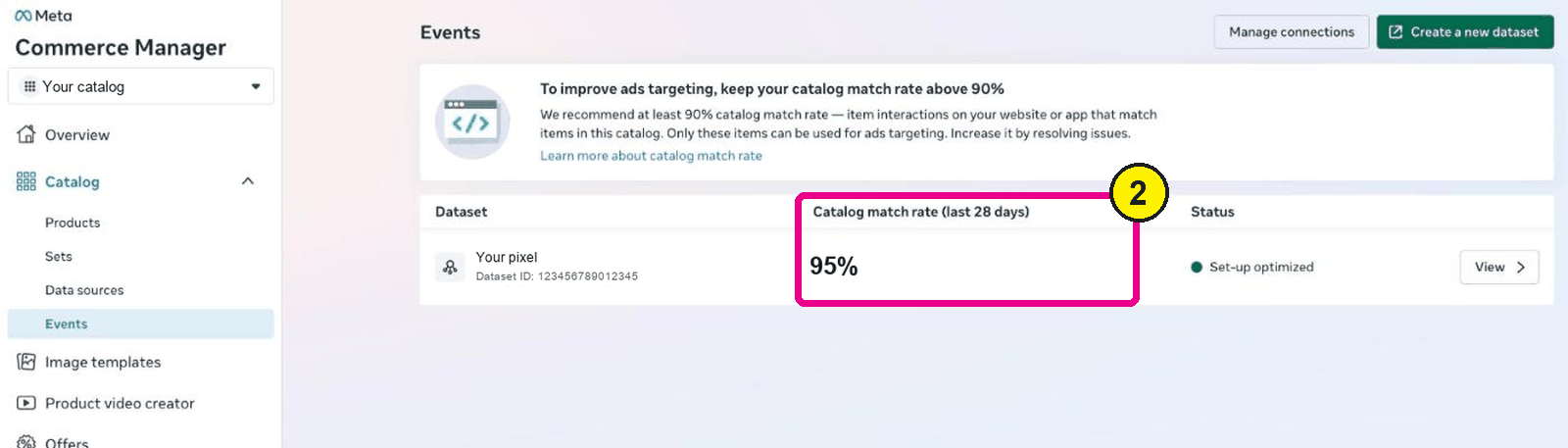
Commerce Manager, Catalog, Events. Screens as of Oct 2026. - Build your product sets now. Make a broad set and a set for the products on sale.
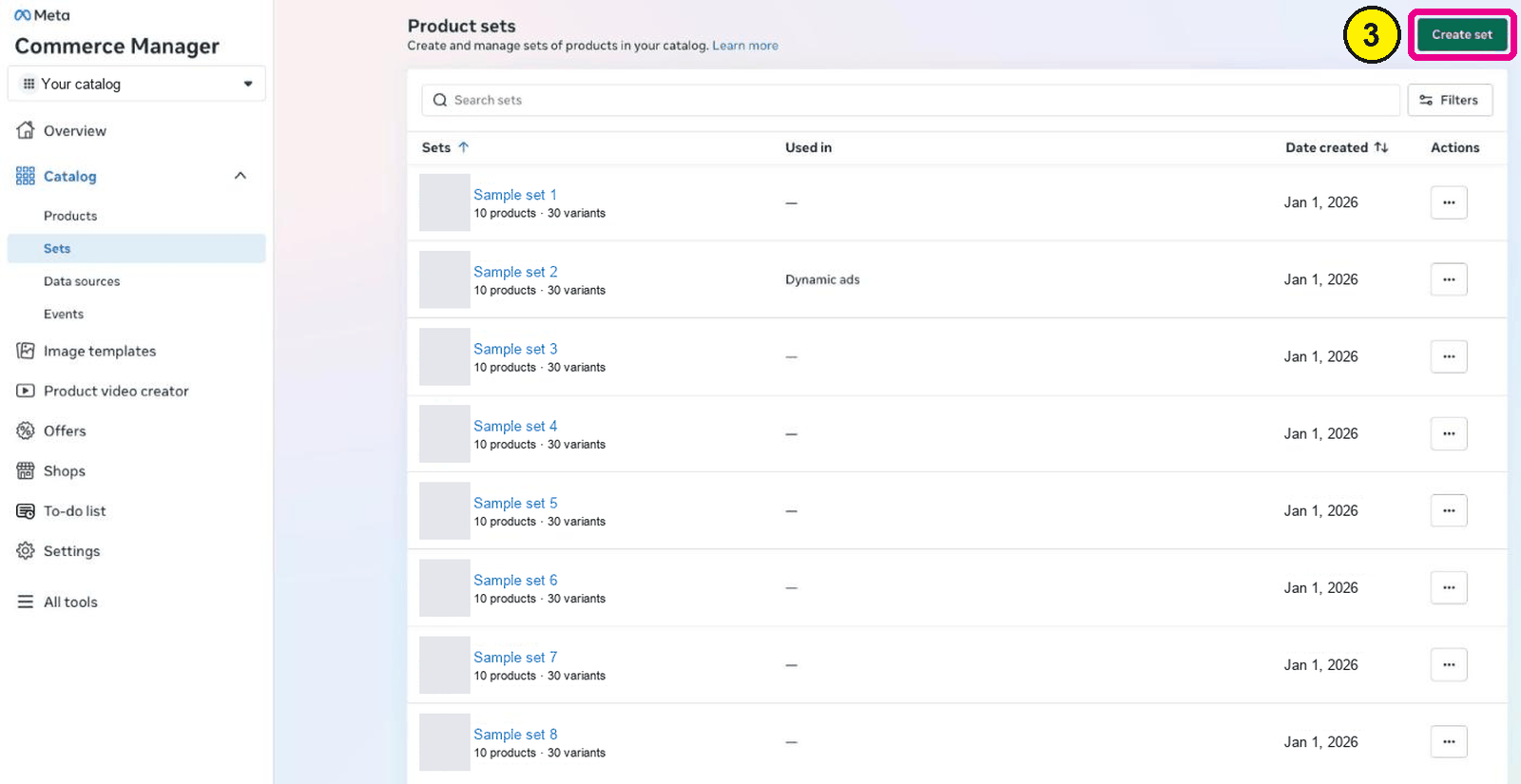
Commerce Manager, Catalog, Sets. - Move off frames before October 30, 2026. Meta says frames will no longer be available after that date.
- Pick your sale design in October. Decide how the badge, price and stars will look on each card.
- Set true sale prices in your store before the sale. Only show a discount where the old price was real.
- Put the sale images into your catalog through a feed, not by editing the ads.
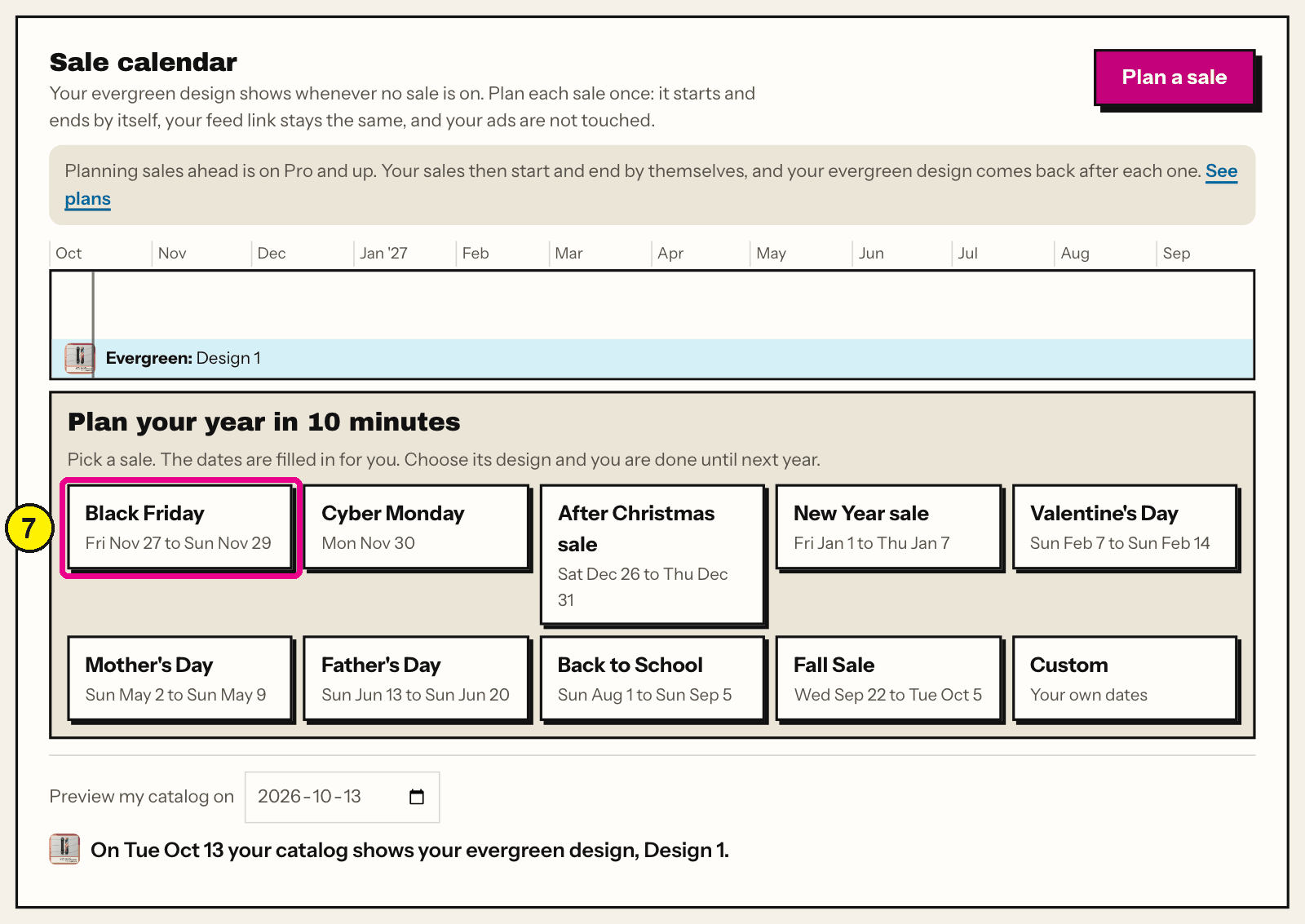
Convinci account page, Sale calendar. - Check a few products the day the sale starts. Look at a sale item, a full price item and one with no reviews.
- Switch the images back when the sale ends, the same way they went on.


October: fix the catalog and pixel
A broken catalog costs the most when traffic peaks. Start with products that will not show in ads. Meta's products not showing page lists out of stock items, image errors and missing data.
Then check the pixel. Catalog ads pick products from pixel events. Meta's match rate troubleshooting page recommends a match rate of 90% or higher. It also says the number updates with a 48 hour delay. So fix it early, not the week before.
Our catalog ads not converting checklist walks through both.
October: product sets and frames
Build your sets before the sale. Meta's product sets page says editing a set during a live campaign "is not recommended." Performance may suffer while the audience updates.
Keep a broad set as your base. If you make an "on sale" set, remember it empties when the sale ends. Our guide to product sets for catalog ads covers the traps.
If your ads use Meta frames, they stop after October 30, 2026. Read Meta catalog ad frames are ending and move before November.
November: set true sale prices
A catalog ad shows your price on the card. So the sale starts with your prices, not your ads.
On Shopify, set the sale price and keep the old price as the compare at price. Meta says Shopify product data syncs to Commerce Manager "every few minutes". For stores with a data feed, Meta's product data spec has a sale_price field. It recommends adding sale_price_effective_date to control when the sale price shows.
Only show a discount that is real. If there is no true old price, do not add a badge.
November: put the offer on the images
You have two ways to show the sale on the card.
Edit the ad. Turn on Meta's dynamic overlays or change the template on the ad. Meta lists "any change to ad creative" as a significant edit. So your ad set goes back into learning in the week you need it most. Overlays also only show on Facebook Feed, as our dynamic overlays guide explains.
Change the images in the feed. A supplementary feed swaps the image on each catalog item. The ad is not edited. Read does changing catalog images reset learning for what Meta says and does not say.
Here is a throw from the Northbank Supply sample store, plain and then with a sale design.
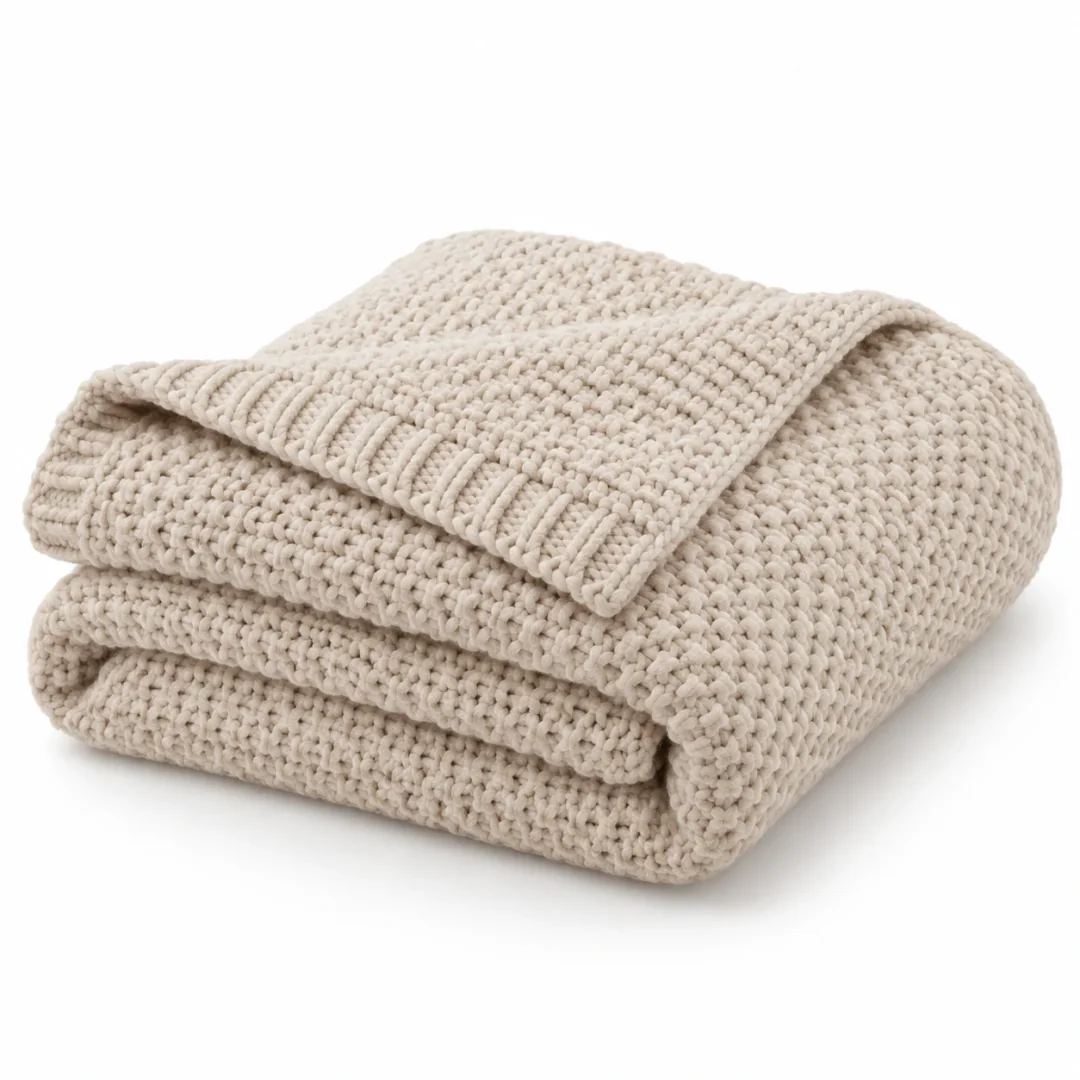

The price, badge and rating are sample data. The badge sits off the product, and the product stays whole.
One thing to know: if your catalog also feeds your Facebook Shop, the sale image shows there too.
Timing the switch
Meta only fetches a new image when the image link changes. The product data spec says to use a new URL when you replace an image. Meta fetches a scheduled feed hourly, daily or weekly, as you set it. Set it to hourly for a sale.
In Convinci, you can save a sale design and pick the date and time it starts and ends. The feed switches to the sale images at the start and back at the end. Your ads and ad sets are not edited. See it on your own products in the free preview, and see plans on the pricing section.
The Monday after
Switch the images back when the sale ends. A "SAVE 25%" badge on a full price product is a false claim. Then pause any ad that points at an "on sale" set, since that set may now be empty.
Last, write down what you did and when. Next year starts in October again.
Questions
- When should I start preparing catalog ads for Black Friday?
- Start in early October. Fix catalog issues, check your pixel and match rate, and build product sets. Match rate updates with a 48 hour delay, so late fixes show late.
- When is Black Friday in 2026?
- Black Friday 2026 is Friday, November 27. Cyber Monday is Monday, November 30. Have your sale prices and sale images ready before the Friday.
- Should I edit my catalog ads for Black Friday?
- Editing a live ad changes ad creative, which Meta lists as a significant edit. That restarts learning. Changing the images through a supplementary feed does not edit the ad.
- Do Meta frames still work for Black Friday 2026?
- No. Meta says frames will no longer be available after October 30, 2026. Meta is replacing them with image templates, so plan a different way to brand your cards.
- How do I remove sale badges after the sale?
- Switch your catalog images back to the regular design when the sale ends. Check a few products in Commerce Manager after the next feed fetch to confirm.
See these badges on your own products before you pay anything.
Try the free previewFree for 10 products. See pricing.