Catalog ads
Advantage+ catalog ads (DPA), explained for Shopify stores
Convinci team. Published 2026-09-26, updated 2026-09-26.
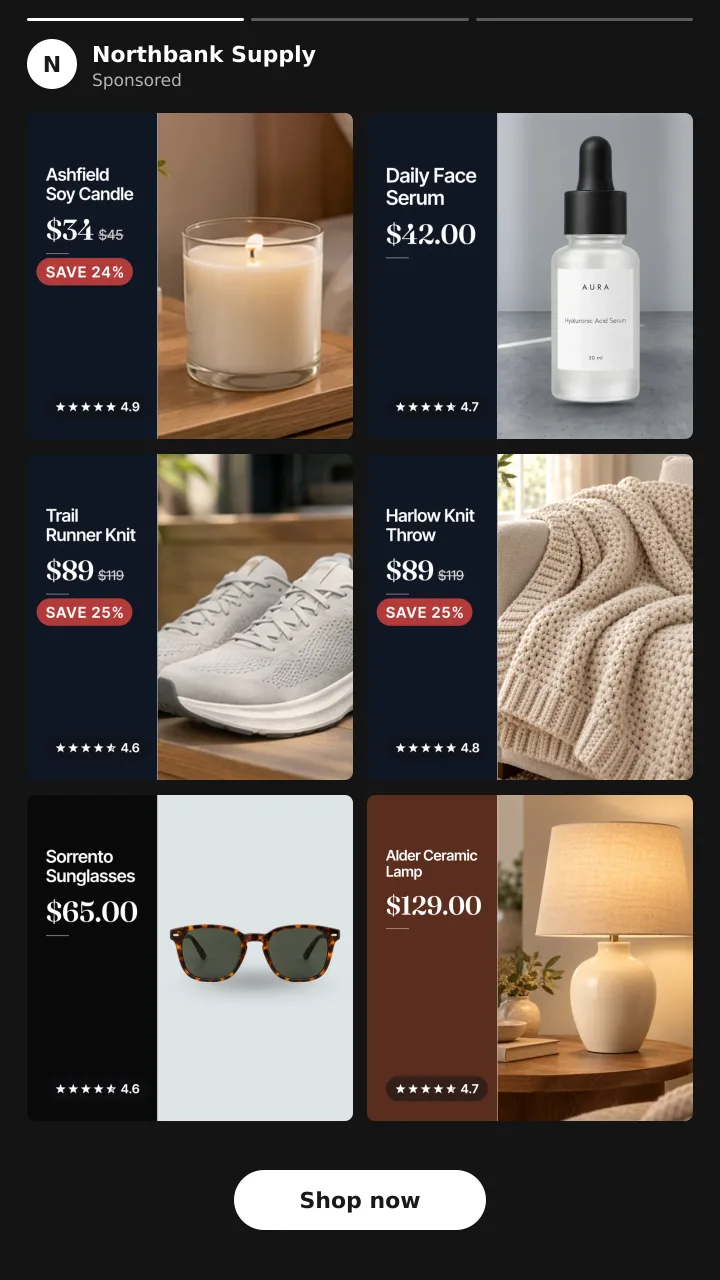
Advantage+ catalog ads are the ads Meta used to call dynamic product ads, or DPA. You build one ad. Meta fills it with products from your catalog and picks them for each person.
This page covers what changed, what you need, which creative options exist, and whether to turn the enhancements on or off. If you are new to catalog ads, start with what are dynamic product ads.
What Advantage+ catalog ads are
Meta's About Advantage+ catalog ads page explains it. The ads "automatically show people the most relevant products or services from your catalog" in one ad. Meta picks them based on each person's interests, intent and actions online.
To the shopper, they look like any single image, carousel or collection ad. The difference is behind the scenes. Meta uses events from your Meta Pixel or app SDK, plus its own signals, to choose the products.
You can use them three ways:
- Retarget shoppers who viewed or carted a product.
- Find new customers, also called prospecting.
- Cross sell or upsell to people who already bought.
What changed from DPA
Two things changed.
First, the name. Dynamic ads and dynamic product ads are now Advantage+ catalog ads. The way they pick products is the same idea.
Second, the setup flow. In the new flow, Meta says "you'll select your catalog only during campaign setup" now. So you choose the catalog when you build the campaign, not later on the ad set.
Which objectives they run on
Meta lists five objectives for Advantage+ catalog ads:
- Sales
- App promotion
- Engagement
- Leads
- Traffic
Most Shopify stores use the sales objective. That is where you turn on product data and pick your catalog.
Creative options on the ad
The ad can show product images or product videos from your catalog. On top of that, Meta offers a set of tools. All of them are set on the ad itself.
Advantage+ creative enhancements for catalog. Meta's creative enhancements page lists four for catalog:
- Dynamic overlays. A label on the image with catalog data like price or percent off. These "only show on Facebook Feed."
- Image touch ups. Meta adjusts the product image.
- Standard labels. A label that highlights info such as products on sale. It is for carousel and collection ads.
- Background generation. Meta makes a new background behind the product.
Frames. A frame is a graphic, like a border or logo, laid over each product image. Meta says frames "will no longer be available after October 30, 2026." They are being replaced by image templates. See Meta catalog ad frames are ending.
Image templates. You build these in Commerce Manager, with layers for price, text, shapes and a background. Meta says the feature is still rolling out, so you may not have it yet. Templates work on single image and carousel only, not collection.
Should enhancements be on or off?
Meta says some enhancements may be on by default. You can turn them off on the ad.
Here is a simple way to decide:
- Check what is on now. Open the ad and look at the Advantage+ creative section. Know what is running before you judge results.
- Turn off what you do not want. If an overlay or a new background does not fit your brand, switch it off.
- Test one at a time. Do not flip three switches at once. You will not know which one helped.
There is a cost to each test. Meta lists "any change to ad creative" as a significant edit. Turning an enhancement on or off edits the ad, so the ad set restarts the learning phase. During learning, Meta says ad sets "are less stable and usually have a higher CPA." So plan your tests and space them out. More in does changing catalog images reset learning.
What people mean by enhanced catalog ads
"Enhanced catalog ads" is not a Meta product name. You will not find it as a setting in Ads Manager.
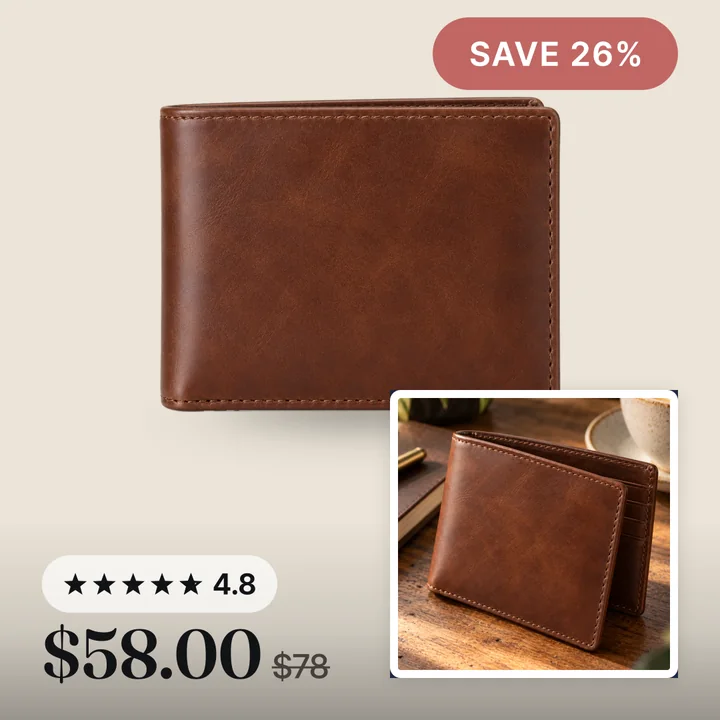
People usually mean one of two things. Some mean catalog ads with Advantage+ creative enhancements turned on. Others mean catalog ads with better images, like a branded card with the price and a sale badge on each product.
The second kind is done in the feed, not on the ad. Tools like Convinci build a branded card for each product. It sends the cards to Meta in a supplementary feed that swaps only image_link. Your ad is not edited, and your ad sets stay as they are. Try it on your own products with the free preview, or see plans and prices.

Setup at a glance
- Connect your Shopify store to Meta with the Facebook and Instagram by Meta sales channel.
- Check that your catalog has your products and your pixel sends the right events.
- In Ads Manager, create a sales campaign and pick your catalog during setup.
- Choose a product set and your audience, such as past visitors or new people.
- On the ad, choose products from your catalog as the creative source.
- Pick a format: single image, carousel or collection.
- Review the creative enhancements and turn off any you do not want.
- Publish and let the ad set leave learning before you change it.
For the Shopify side, see connect Shopify to a Meta catalog.
For the price labels Meta can add to the ad, read dynamic overlays explained.
Questions
- Should Advantage+ catalog ads be on or off?
- The ads are worth running for most stores. The creative enhancements are a separate choice. Some may be on by default, so check them, turn off what you do not want, and test one change at a time.
- What are the requirements for Advantage+ catalog ads?
- You need a catalog with your products and a Meta Pixel on your site, or the SDK in your app, sending the right events. Meta lists the details on its [requirements page](https://www.facebook.com/business/help/232493917827200).
- Are Advantage+ catalog ads the same as DPA?
- Yes. Meta says they were formerly called dynamic ads, also known as dynamic product ads or DPA. The name changed, and the new flow picks the catalog during campaign setup.
- Does turning on an enhancement restart learning?
- It edits the ad, and Meta lists any change to ad creative as a significant edit. A significant edit sends the ad set back into the learning phase, so space out your changes.
- Can I use image templates on collection ads?
- No. Meta says image templates support single image and carousel formats only, not collection. The feature is also still rolling out, so it may not be in your account yet.
See these badges on your own products before you pay anything.
Try the free previewFree for 10 products. See pricing.