Product feeds
Catalog ad (DPA) image size and specs for Meta (2026)
Convinci team. Published 2026-09-26, updated 2026-10-07.
Catalog ads (also called dynamic product ads, or DPA) use the photos in your product catalog. So the image size and format you put in the feed is what people see in the ad. Get the specs right once, and every ad that reads the catalog gets better.
This page lists what Meta says, where it says it, and how we read it. Where Meta does not publish a number, we say so.
The short answer
Use square 1:1 images at 1080 x 1080 or larger. That size meets every number below.
- Format: JPEG or PNG. Meta prefers JPEG.
- File size: 8 MB at most.
- Shops: square, at least 500 x 500, with 1024 x 1024 recommended.
- One ratio: use 1:1 or 4:5 for all products. Mixed ratios in a carousel may be auto adjusted.
Meta's product image specs page is the source for these. For ad sizes, that page points to Meta's Ads Guide.
Want to check one of your own images against these numbers? Use the free catalog ad image checker. It reads the file in your browser and shows the 1:1, 4:5 and 9:16 crops.
Why 1080 x 1080? It is the minimum Meta set for a frame file. It is also the size we render at in Convinci. It is above the 1024 x 1024 Meta recommends for shops.
Catalog ad image spec table
| Spec | What Meta says |
|---|---|
| File type | JPEG or PNG, JPEG preferred |
| Max file size | 8 MB |
| Images per product | At least one, 4 or more recommended for carousel slideshow or shops |
| Min size for shops | 500 x 500, square 1:1 |
| Recommended for shops | 1024 x 1024 |
| Ratios | 1:1 or 4:5, one ratio across the carousel |
| 9:16 | Part of the image is covered on Reels and Stories (safe zones) |
| Frame file | 1:1, under 1 MB, at least 1080 x 1080, clear background recommended |
| Replacing an image | The new image must have a different URL |
Two lines in that table catch people out.
The first is the URL rule. If you swap an image through a data feed, Meta needs a new URL. So give every new image its own URL.
The second is the frame file. Meta says frames will no longer be available after October 30, 2026. See Meta catalog ad frames ending for your options.
Crop settings in Commerce Manager
Commerce Manager has a crop setting for catalog images. It has three options.
- Fill frame with image. This is the default. The image fills the space, so edges may get cut.
- Show entire image in frame. The whole image shows inside the frame.
- Crop and resize image to fit frame. Meta crops and resizes the image to fit.
Meta says image touch-ups or image templates take priority over these crop settings. So if you use either one, check the ad preview, not only the setting.
Our advice is simple. If your photos are square and show the whole product, the default works. If products get cut off, try Show entire image in frame. Better still, fix the source photo. Our guide to Shopify product images for Meta catalog ads covers that.
Can catalog ad images have text?
Meta's product image page has a list of tips. One says not to put text in your images that overlays the product. It also lists calls to action, promo codes, watermarks and time limited info like a short price drop.
That is a recommendation on the catalog image page. Here is how we read it.
- Keep the product clear. No words on top of it.
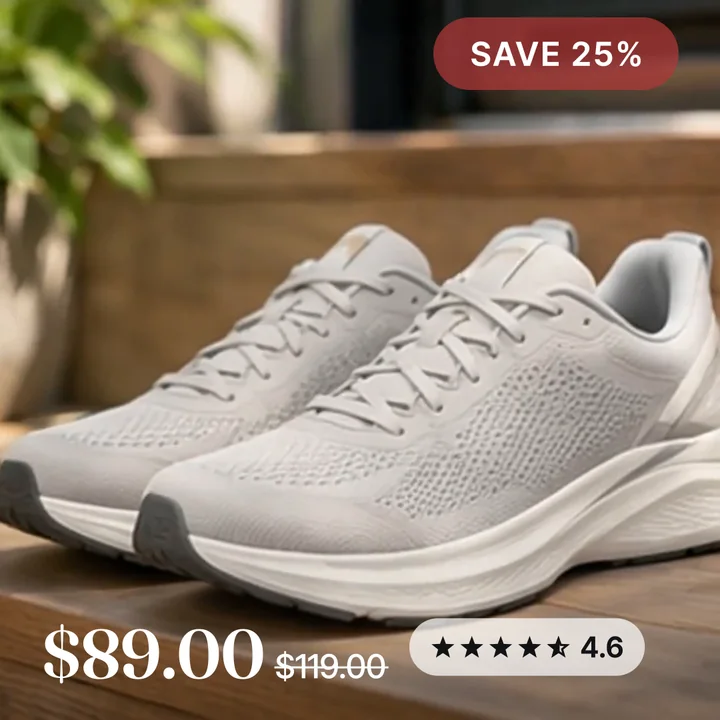
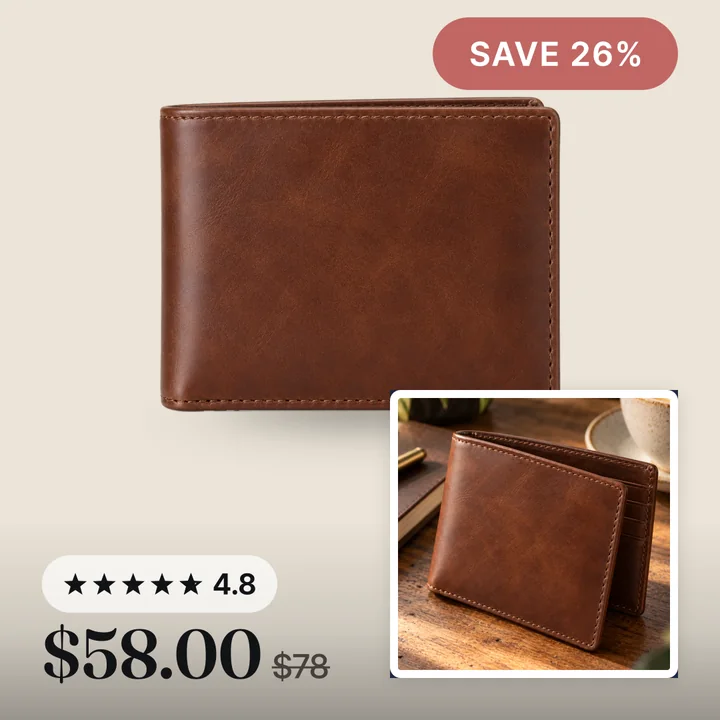
- Put any badge, price or stars in the corners or edges.
- Only show an offer that is true right now.
- Keep it to a few items, not a wall of text.
There is one more thing to know. The catalog also feeds Facebook Shop, Instagram product tags and Marketplace. Meta can reject a shop listing with a promo overlay. Our guide on how to add sale badges to Meta catalog ads covers the risk and the safe ways to do it. Convinci hosts every image for you and gives you one feed link to paste into Meta.
4:5 and 9:16 examples
A square card is the base. But some spots are taller.
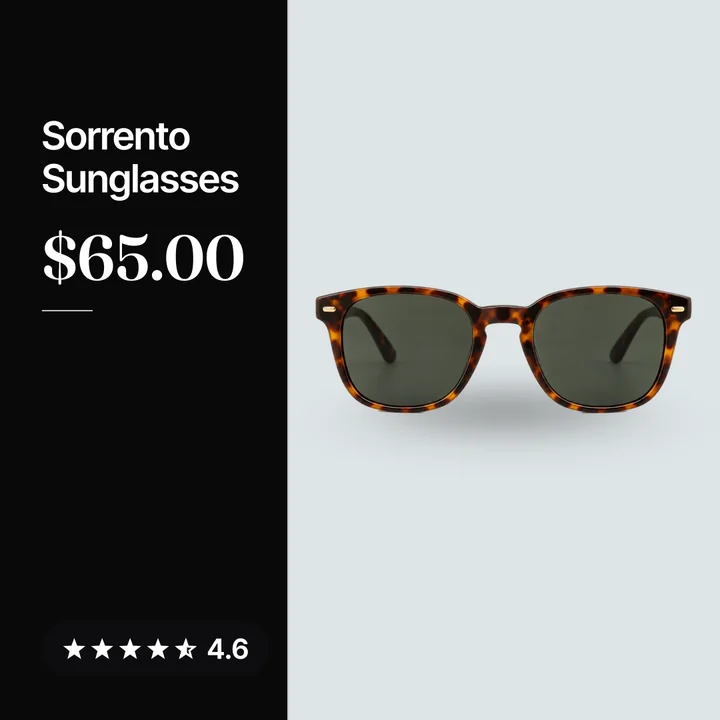
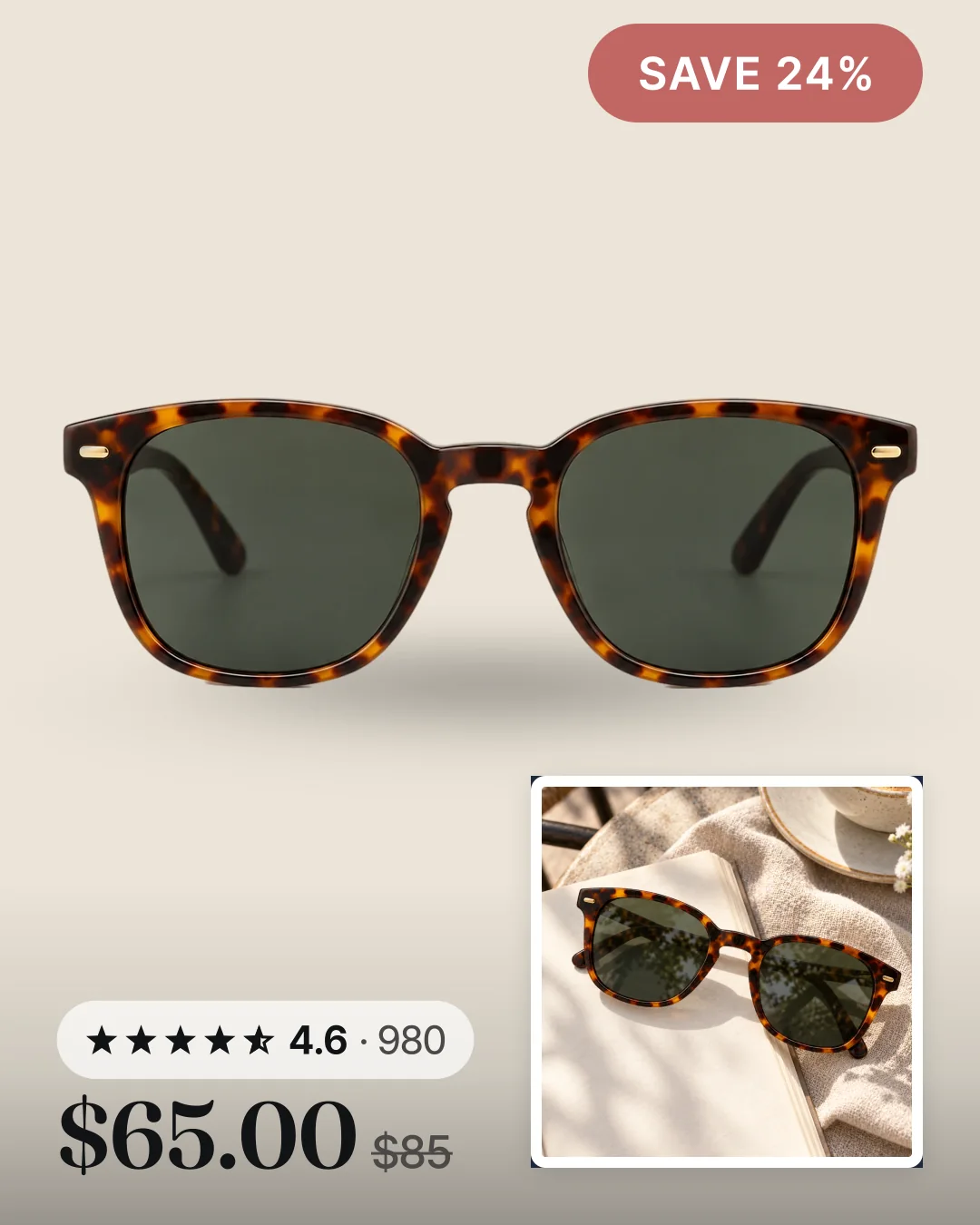
Take a pair of tortoise shell sunglasses. In our 4:5 version, the card is 1080 x 1350. The store name sits top left and a SAVE 24% badge sits top right. Reviews and price are bottom left, and a lifestyle photo card is bottom right. The sunglasses stay in the middle, clear of all four corners.
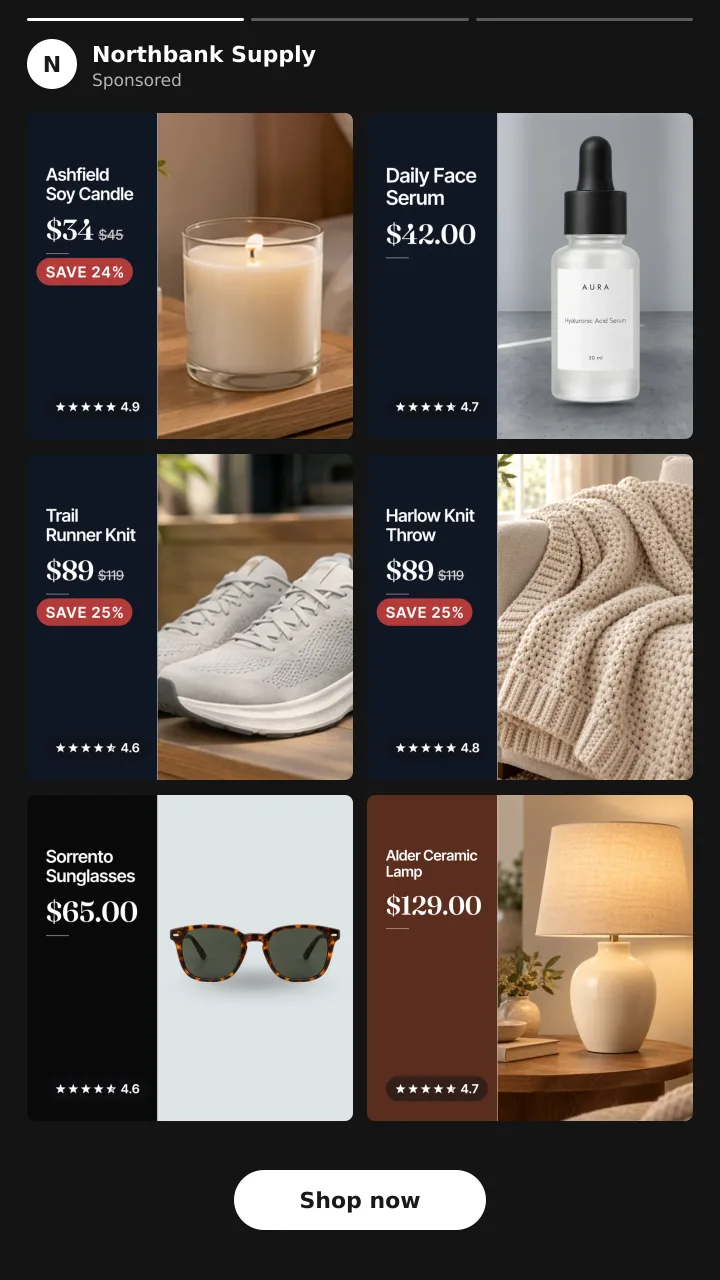
Stories and Reels are 9:16, but a catalog ad there is not one tall card. Meta crops each catalog image to 1:1 and shows your products as square cards, two across and three down. The store name sits at the top and a Shop now button at the bottom. So the square card is the one that counts here too. Keep the badge, the price and the reviews inside the square, because that is all a shopper sees of each product.
If you run a carousel, pick one ratio for every product. Meta says mixed ratios may be auto adjusted. Using only 1:1 or only 4:5 stops that.
How to get these specs into your catalog
You do not need to change the photos on your store. A supplementary feed on Meta can swap the image link for each product. Meta matches each row by content ID. Your primary feed won't be changed.
Convinci does this for Shopify stores. We render each square card at 1080 x 1080. Pro and Ultimate include every design and format. It gives each image a new URL, then publishes the feed. Your ad sets stay as they are, and the ad is not edited. Try the free preview with your store link, or see pricing.
Questions
- What size should catalog ad images be?
- Use square 1:1 images at 1080 x 1080 or larger. Meta asks for JPEG or PNG up to 8 MB. For shops, the minimum is 500 x 500 and 1024 x 1024 is recommended.
- Can catalog ad images have text?
- Yes, but Meta recommends no text that overlays the product. Keep badges, price and stars in the corners. Meta can reject a shop listing with a promo overlay, so watch your shopping surfaces.
- Should catalog ad images be 1:1 or 4:5?
- Either works, but pick one for all products. Meta says mixed ratios in a carousel may be auto adjusted. Using only 1:1 or only 4:5 prevents that.
- Why is my new catalog image not showing?
- If you replaced the image through a data feed, check the URL first. Meta says the new image must have a different URL. Then check the item in Commerce Manager after the next fetch.
- What is the best crop setting in Commerce Manager?
- Fill frame with image is the default and suits square photos of the whole product. If products get cut off, try Show entire image in frame, then check the ad preview.
See these badges on your own products before you pay anything.
Try the free previewFree for 10 products. See pricing.