Product feeds
"Some product content IDs do not match" error
Convinci team. Published 2026-10-08, updated 2026-10-08.

Commerce Manager shows this message after a feed upload: some product content IDs do not match. Supplementary feeds can only add or override product details, not create or delete items. It reads like an error in the file. It usually is not.
What it actually means
A supplementary feed, what Convinci sends by default, works by matching an id in the feed to an id already in your Meta catalog. It cannot add a product that is not there yet, by design.
So when Meta says some ids do not match, it means those products are missing from the catalog itself. It does not mean your feed file is broken, or that anything about your Convinci account is wrong.
The most common reason: the product is not enabled for the Facebook and Instagram sales channel in your store. If it is not enabled there, it never reached Meta's catalog. No supplementary feed, from Convinci or anywhere else, can create it from the outside.
A second reason: the product was added after Meta's last catalog sync. It exists in your store and is enabled for the channel, but Meta has not pulled it in yet.

Why Meta phrases it this way
The message names the rule, not just the symptom, because the fix is different from a normal upload error. A malformed row gets rejected and stays rejected until you fix the file. A missing product id gets rejected until the product itself exists in the catalog, which is a store side fix, not a feed side one.
The fix
- In Commerce Manager, open Catalog, then Items.
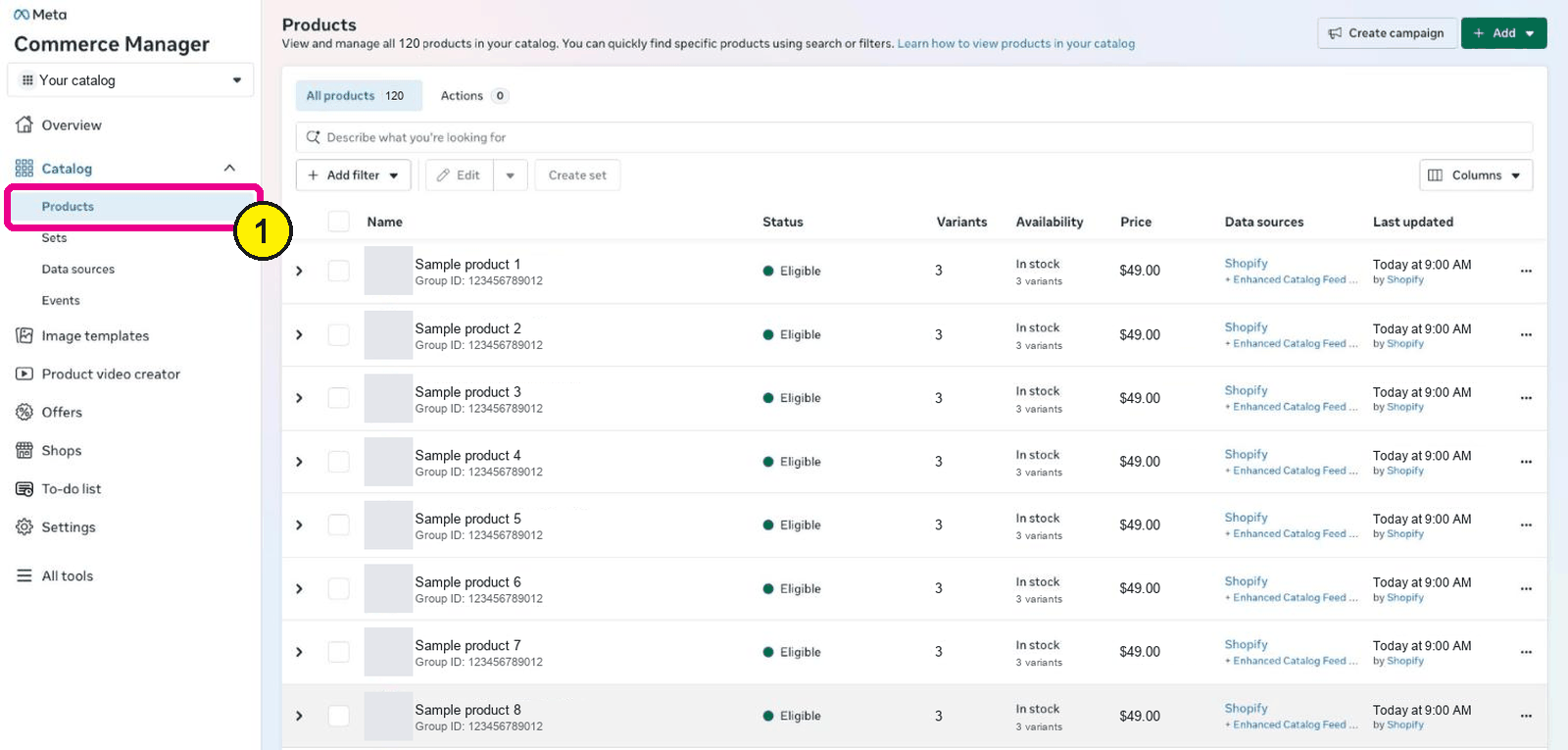
Commerce Manager, Catalog, Products. Screens as of Oct 2026. - Find the product named in the error.
- Check it is enabled for the Facebook & Instagram sales channel.
- If not, enable it in your store's sales channel settings.
- Go back to Data sources, find your Convinci feed, and press Update.
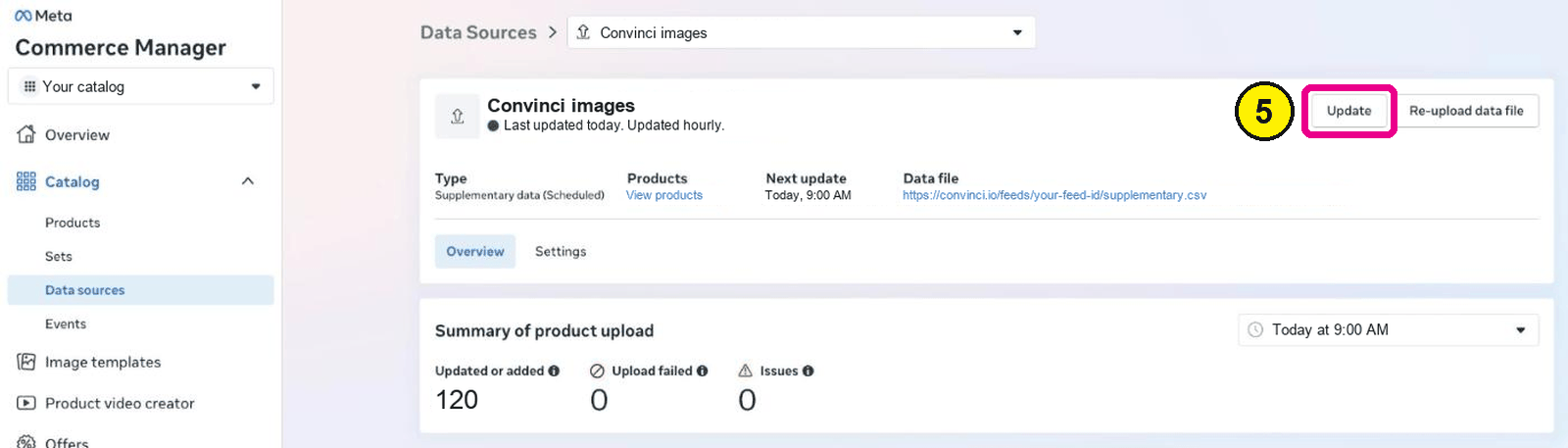
Commerce Manager, Catalog, Data sources, your feed.


Enabling the channel does not pull the product in instantly. Give the sync a few minutes, then press Update on your feed. See how to request a Meta catalog update.
If the product was only just added to your store, the fix is the same. Enable it for the channel if needed, wait for the sync, then update your feed.
What this is not
It is not a sign your Convinci account is set up wrong. It is not a reason to remove and re-add your feed link. The feed itself is working as designed. The missing piece sits on the catalog side, specific to the products named in the message.
A note on bulk uploads
If several products share the same issue, it usually means a batch of products was added to your store around the same time. All of them are likely missing the same sales channel setting. Fixing the channel setting once, for the whole batch, clears every row the next time your feed runs. There is no need to fix each product's feed row by hand.
Questions
- Does this mean my feed failed to upload?
- No. The feed uploaded. Rows for products not yet in your catalog were skipped, which is expected for a supplementary feed.
- Can a supplementary feed add new products anyway?
- No. The product has to exist in the catalog first, through your store's own channel sync or a full feed.
- How do I know which products the error names?
- Commerce Manager names them in the upload detail for that run, under Data sources.
- Will this happen again for every new product?
- It can, until the product syncs through your store's sales channel. Once it is there, your next feed run picks it up with no extra step.
- Can I enable the channel from Commerce Manager directly?
- No. Enabling a product for the Facebook and Instagram sales channel happens in your store's own admin, not inside Commerce Manager.
- Does removing and re-adding the feed help?
- No. The feed is not the problem. Removing it only means you have to add it back, with the same products still missing from the catalog.
See these badges on your own products before you pay anything.
Try the free previewFree for 10 products. See pricing.
 Your store
 Your card