Product feeds
Product feed optimisation for Meta catalog ads (DPA)
Convinci team. Published 2026-09-11, updated 2026-09-11.
Feed optimisation has a bad name because most advice about it is a list of forty fields with no weighting. In practice six fields decide whether your catalog ads (also called dynamic product ads, or DPA) work, and the rest are housekeeping.
Here they are in the order they are worth your afternoon.
The six that matter
id
Stable, unique, variant level. The id is how everything joins: the pixel event, the supplementary feed, the product set, the reporting.
The failure is an id that changes. If your platform regenerates ids on a re-sync, every product looks new to Meta. Learning resets, and retargeting breaks because the pixel sends an id the catalog no longer has.
Check this once: export the catalog today, export it in a month, and compare ids for products that did not change.
availability
in stock, out of stock, available for order, preorder. Meta will not serve an out of stock product, which is the behaviour you want, and it is the field most often stale.
If your feed runs once a day, you can advertise a sold out product for up to 24 hours. Every one of those impressions is paid for and lands on a page with no buy button. See out of stock products in catalog ads.
image_link
The single most important creative decision in the account, and it sits in a spreadsheet column. Everything a shopper sees on the card except the price and the name comes from here.

Rules and sizes are in Shopify product images for Meta catalog ads.
title
Feed titles come out of your store written for search. In an ad they are truncated around 25 characters on most placements. A title that front loads the category and the colour beats one that leads with the brand.
Do not fix this in your store. Override it in a supplementary feed so the storefront title keeps doing its job for search.
price and sale_price
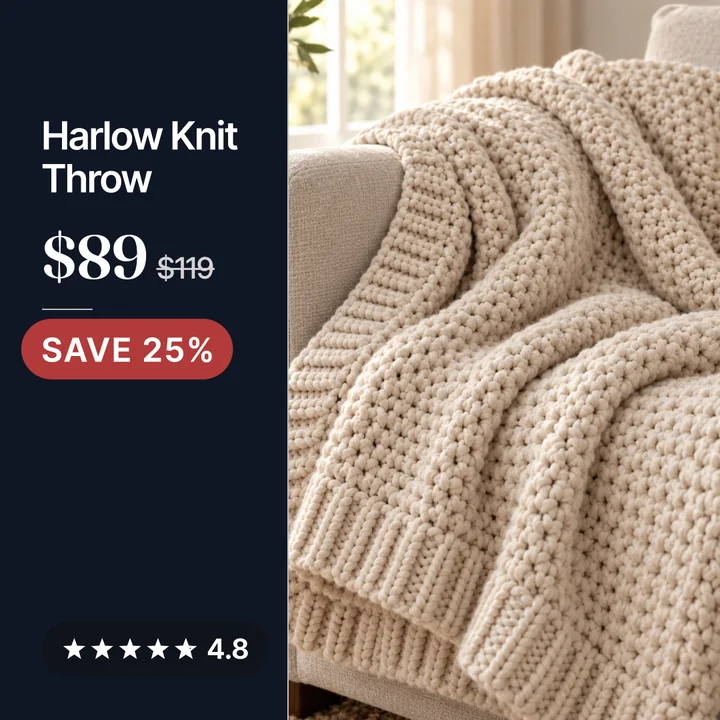
price is the full price. sale_price is what it costs today. Meta compares the two to decide whether there is a price drop, and the built in price drop label appears only when sale_price is lower.
Use sale_price_effective_date for a window, so a promotion starts and ends without anyone remembering to edit a file.
custom_label_0 to custom_label_4
Five free text fields that do nothing on the card and everything to your campaign structure. They are how you cut the catalog into product sets.
Useful things to put in them:
- Margin band, such as
high,mid,low. - Best seller rank band.
- Season or drop.
- Stock depth, such as
deeporthin. - Whether the product is currently discounted.
Spending on the top margin band rather than the whole catalog is a structure change, not a creative change. It is often the fastest profit improvement available.
What you can safely ignore
| Field | Worth the time |
|---|---|
brand | Fill it once, then leave it |
condition | Set to new and forget |
google_product_category | Matters for Google, little on Meta |
additional_image_link | Minor, used in some placements |
material, pattern, color, size | Useful for variant grouping, not for delivery |
rich_text_description | Rarely shown |
None of these are wrong to fill. They are just not where the money is.
The order to work in
- Fix ids if they are unstable. Nothing else is reliable until they are.
- Get availability updating at least every few hours.
- Fix the images, including the variant level mismatches.
- Override titles for the products you actually advertise.
- Put real values in two custom labels and split the campaign by them.
- Only then worry about the long tail of optional fields.
How to tell if the feed is the problem
Open Commerce Manager and look at the catalog's item count against your store's product count. A gap is the first clue. Then look at the data source run history for errors and warnings. Read the warnings, because they are usually the products that are not serving.
Three numbers to watch weekly:
- Items in the catalog against products in the store.
- Items with errors.
- Items out of stock.
If the third number is high and your store disagrees, the feed schedule is the problem.
You can see your feed data drawn onto a card, with the price and the rating on it. Paste your store URL into the preview.
Questions
- Which product feed fields matter most for Meta?
- Id, availability, image_link, title, price with sale_price, and the custom labels. Those six decide what serves, what it looks like and how you can structure campaigns around it.
- Does filling in every optional feed field improve delivery?
- No. A complete feed is tidy, but delivery is decided by whether the product is in stock, has a valid image and matches a product set. Optional descriptive fields change little.
- How often should a product feed update?
- At least every few hours for availability and price. Once a day is enough for a small catalog with deep stock and too slow for anything that sells out.
- What are custom labels used for?
- Cutting the catalog into product sets. They are not shown to shoppers. Margin band, best seller rank and stock depth are the three most useful things to put in them.
- Why are there fewer products in my catalog?
- Usually errors on those rows, or products excluded by the sales channel because they are draft, out of stock or missing a price. The data source run history names them.
- Should I edit the main feed or a supplementary feed?
- Edit the main feed for data that is true everywhere, such as stock and price. Use a supplementary feed for anything that is an ad decision, such as titles and images.
See these badges on your own products before you pay anything.
Try the free previewFree for 10 products. See pricing.
 Your store
 Your card