Catalog ads
Catalog ads (DPA) vs carousel, collection and image ads on Meta
Convinci team. Published 2026-09-26, updated 2026-09-26.
People often ask whether to run catalog ads (also called dynamic product ads, or DPA) or carousel ads. It sounds like a choice between two things. It is not quite that.
Single image, carousel and collection are formats. They are the shape of the ad. A catalog ad is a way to fill that shape. It pulls products from your catalog and picks them for each person. So a catalog ad can be a carousel. A carousel ad can also be one you built by hand.
The short answer
A static image ad or a carousel you upload shows the same pictures to everyone. You pick the images. You write the text. Every person sees the same thing.
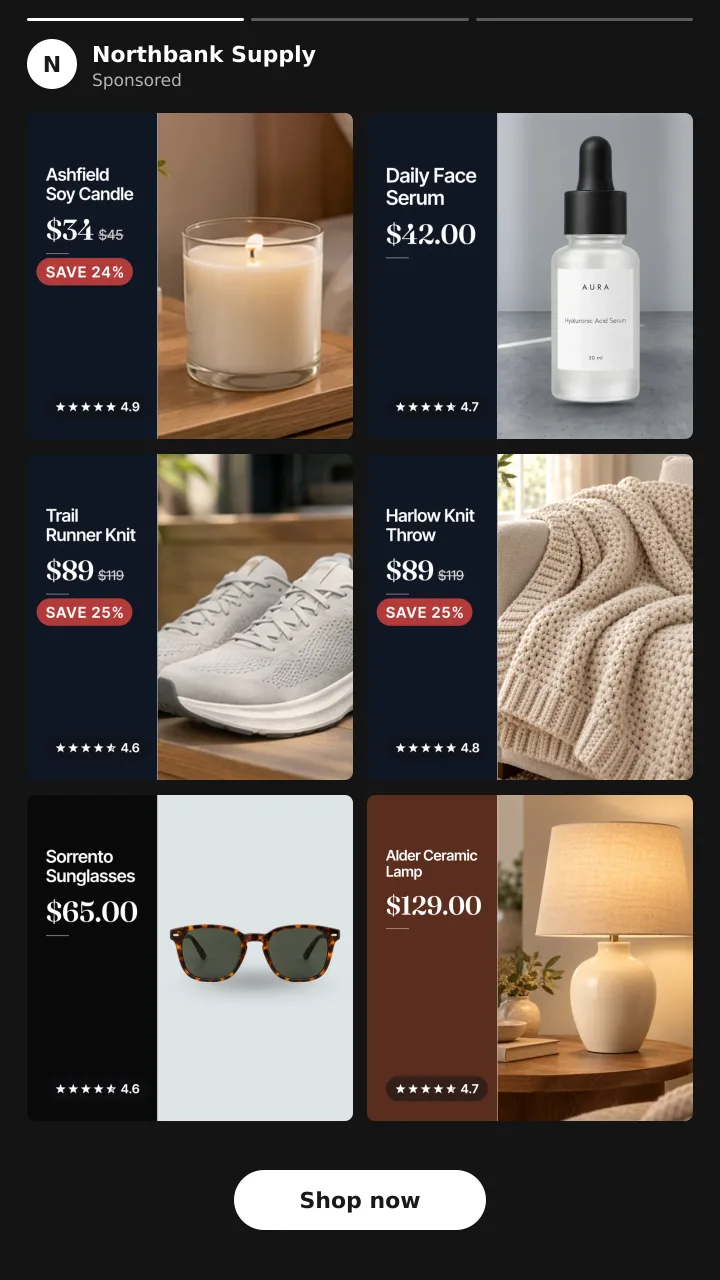
A catalog ad uses the same formats, but Meta fills them. Meta's About Advantage+ catalog ads page says they "look like other single image, carousel or collection ads" to the shopper. The difference is that the products change for each person, based on their pixel events and Meta's own signals.
So the real choice is this. Do you want to show one set of images you chose, or let Meta pick products per person?
The four side by side
| Static image ad | Carousel ad | Collection ad | Catalog ad | |
|---|---|---|---|---|
| What it is | One image you upload | Several cards you upload | A cover with products below | Products from your catalog in any of these formats |
| Who picks the products | You | You | You or your catalog | Meta, per person |
| Same for everyone | Yes | Yes | Depends on setup | No |
| Design control | Full | Full | Cover is yours | Limited to the catalog image and Meta tools |
| Best for | One offer or story | A few hero products | Browsing a range | Retargeting and large catalogs |
| Work per product | High | High | Medium | Low once set up |
When each one wins
Static image ad. Use it when you have one clear message. A launch, a brand story or one hero product. You control every pixel. You also have to make a new image for each idea.
Carousel ad. Use it for a small set of products you want to push together. A bundle, a new drop or three best sellers. It is still the same cards for everyone.
Collection ad. Use it when you want people to browse. The cover sets the mood and the products sit below it.
Catalog ad. Use it when you have more than a few products, or when you want to retarget. A shopper who viewed a lamp sees that lamp. You do not build one ad per product. Meta lists three uses: retargeting, finding new customers and cross selling.
Many stores run both. They use static ads to tell the story and catalog ads to follow up with the exact product.
Where catalog ads fall short
The weak spot is the look. A catalog ad shows whatever is in the image_link field of your catalog. For most stores, that is a plain product photo on white. It was made for a product page, not a feed.
A static ad you design can have your logo, the price, a sale badge and reviews on it. A catalog ad, out of the box, has none of that. That is why so many look plain next to a designed ad. We go through every cause in why dynamic product ads look bad.
Making a catalog ad look like a designed ad
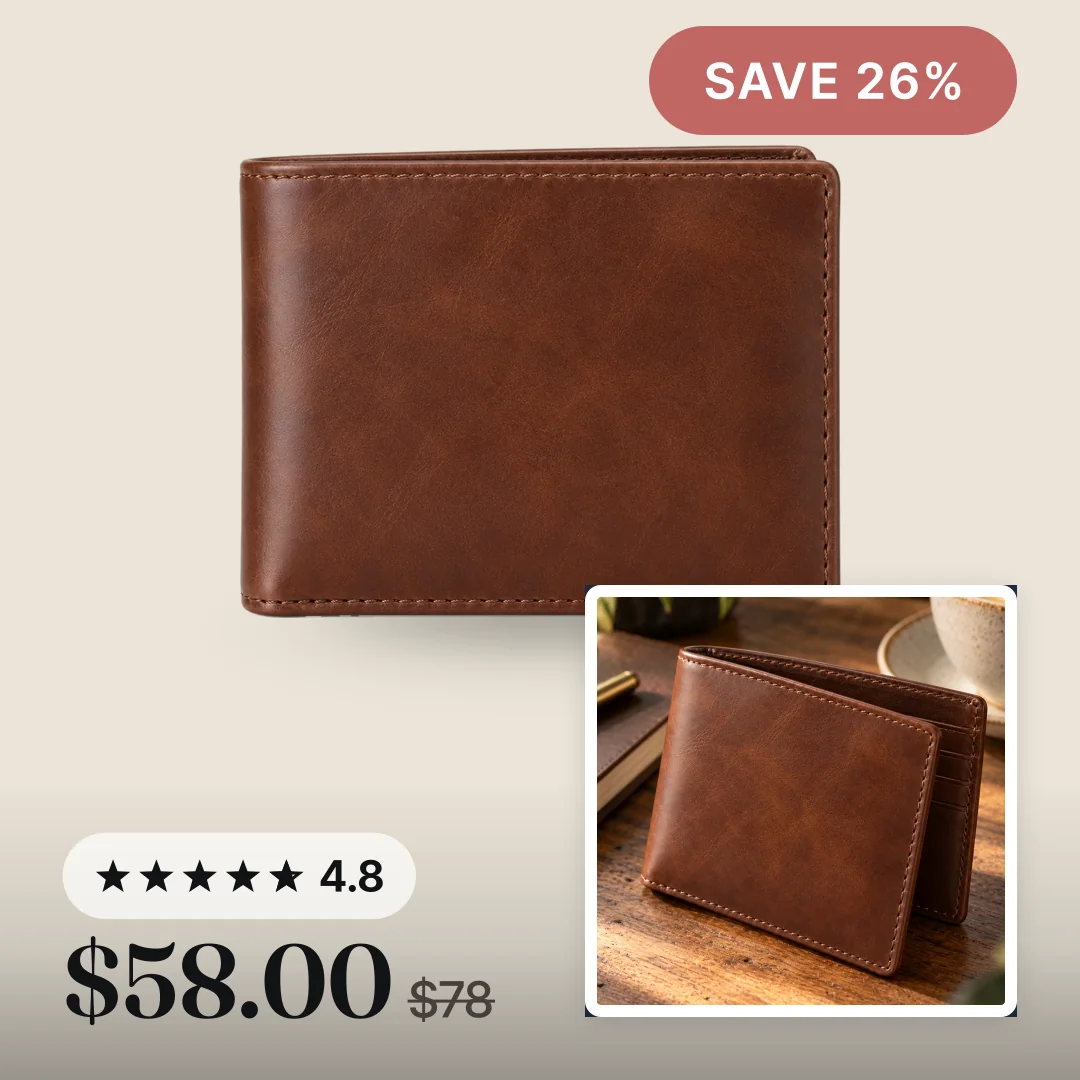
You can close most of that gap. The fix is to put the design into the image itself.
- Meta's own tools. Dynamic overlays add a price or percent off label, but only on Facebook Feed. Frames end after October 30, 2026. Image templates are replacing them but are still rolling out.
- A template in the image. A tool draws your store name, price, sale badge and reviews into each product picture. The design then shows on every placement. See catalog ad templates.
One limit to know. Meta says image templates support single image and carousel formats only, not collection. So if you run collection ads, Meta's template tool will not help there.
Convinci takes the second path for Shopify stores. It builds a branded card for each product and sends it to Meta in a supplementary feed that swaps only image_link. Your ad is not edited, and your ad sets stay as they are. Prices and stock still come from your own feed.
For a full walk through of every option, read how to make catalog ads look better. To see your own products as designed cards, paste your store link into the free preview. Plans are on the pricing page.
Questions
- Are catalog ads better than carousel ads?
- Neither is better on its own. A catalog ad can be a carousel. Use a catalog carousel when you want Meta to pick products per person. Use a hand built carousel when you want the same cards for everyone.
- What is the difference between catalog ads and collection ads?
- Collection is a format with a cover and products below it. A catalog ad can run as a collection, filled with products from your catalog. Note that Meta's image templates do not work on collection.
- Can a catalog ad look like a designed ad?
- It can get close. Put the design into the product image, with your store name, price, sale badge and reviews. Then every catalog ad shows it, on every placement.
- Should I run static ads and catalog ads together?
- Many stores do. Static ads tell your story to new people. Catalog ads follow up with the exact products each person looked at or might want next.
- Do I need a catalog for carousel ads?
- No. You can build a carousel by uploading your own images. You need a catalog only when you want Meta to fill the carousel with products for each person.
See these badges on your own products before you pay anything.
Try the free previewFree for 10 products. See pricing.