Catalog ads
Catalog ads glossary: 32 Meta and DPA terms
Convinci team. Published 2026-09-26, updated 2026-09-26.
Meta catalog ads (also called dynamic product ads, or DPA) have a lot of names and a lot of settings. Many of them mean close to the same thing. This page explains each term, so you can read any guide or help page without getting lost.
The terms are in four groups. Where we have a full page on a term, we link it.
Ads and campaigns
Advantage+ catalog ads
Meta's current name for catalog ads. One ad shows each person products from your catalog, based on what they did. See Advantage+ catalog ads explained.
DPA
Short for dynamic product ads. It is the old name for Advantage+ catalog ads. See what are dynamic product ads.
Dynamic ads
Another old name Meta used for the same ads. Meta says Advantage+ catalog ads were formerly called dynamic ads.
Catalog ads
The plain name most people use. It covers DPA, dynamic ads and Advantage+ catalog ads. They all pull products from your catalog.
Enhanced catalog ads
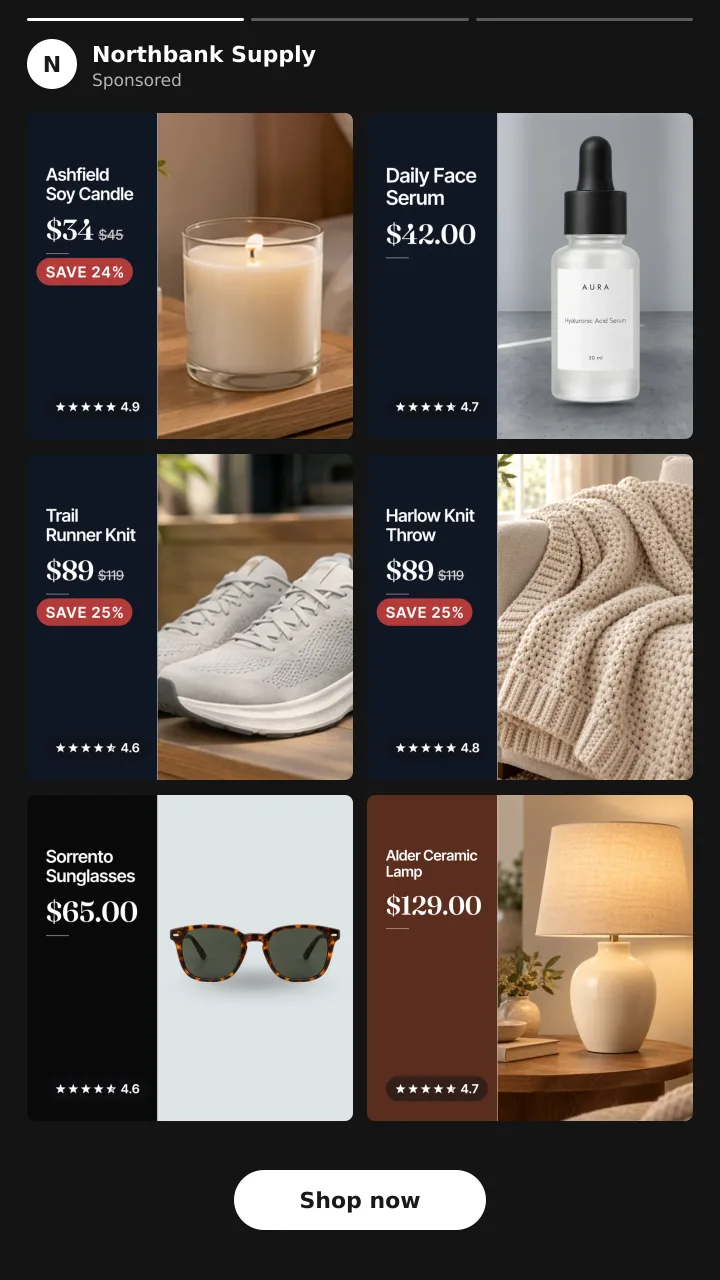
This is not a Meta product name. People use it for catalog ads with Advantage+ creative enhancements on. Some use it for catalog ads with branded images, like a card with price and a sale badge.
Carousel
A format with several cards a shopper can swipe through. In a catalog ad, each card is a product from your catalog.
Collection
A format with a cover on top and products below it. Image templates do not work on collection ads.
Product set
A group of items from your catalog that an ad can show. You might make one set for sale items and one for new arrivals.
Retargeting
Showing ads to people who already visited your store. A catalog ad can show them the exact items they viewed or added to cart.
Prospecting
Showing ads to people who have not been to your store yet. Meta picks products they are likely to want.
Catalog and feeds
Catalog
The list of your products that Meta uses for ads and shops. Each item has a title, price, link, image and more.
Commerce Manager
Meta's tool for your catalog. You manage data sources, check items and build image templates there.
Primary feed
The main source of your products in the catalog. For a Shopify store, it usually comes from the Facebook and Instagram by Meta sales channel.
Supplementary feed
An extra feed that adds or updates fields on items already in your primary feed. It cannot add or delete products. Each primary feed can have only one. See supplementary feeds on Meta.
Data source
Where a feed lives in Commerce Manager. You find them under Catalog, then Data sources.
Content ID
The ID of each product in your catalog. A supplementary feed matches items by this ID, and it must match exactly in both feeds.
image_link
The field that holds the main image for each product. This is the picture a catalog ad shows. If you swap it with a new image, it needs a new URL.
additional_image_link
The field for extra images of a product. Meta suggests four or more images per product for carousel slideshows and shops.
Feed fetch schedule
How often Meta pulls a feed. When set to Hourly, Meta fetches it at most once an hour.
Compare at price and sale price
In Shopify, the compare at price is the old, higher price. Meta's catalog has a price field and a sale price field. Tools use the gap to show the real percent off.
Creative
Frame
A graphic, like a border or logo, laid over each product image. Meta says frames end after October 30, 2026. See Meta catalog ad frames are ending.
Image template
Meta's new design tool for catalog images, built in Commerce Manager with layers. It works on single image and carousel only. It is still rolling out.
Dynamic overlay
A label on the ad image with catalog data, like price or percent off. Meta says it only shows on Facebook Feed.
Standard label
A label that highlights info such as products on sale. It is for carousel and collection catalog ads.
Creative enhancements
Meta's Advantage+ creative tools. For catalog, they include dynamic overlays, image touch ups, standard labels and background generation. Some may be on by default.
Catalog ad template
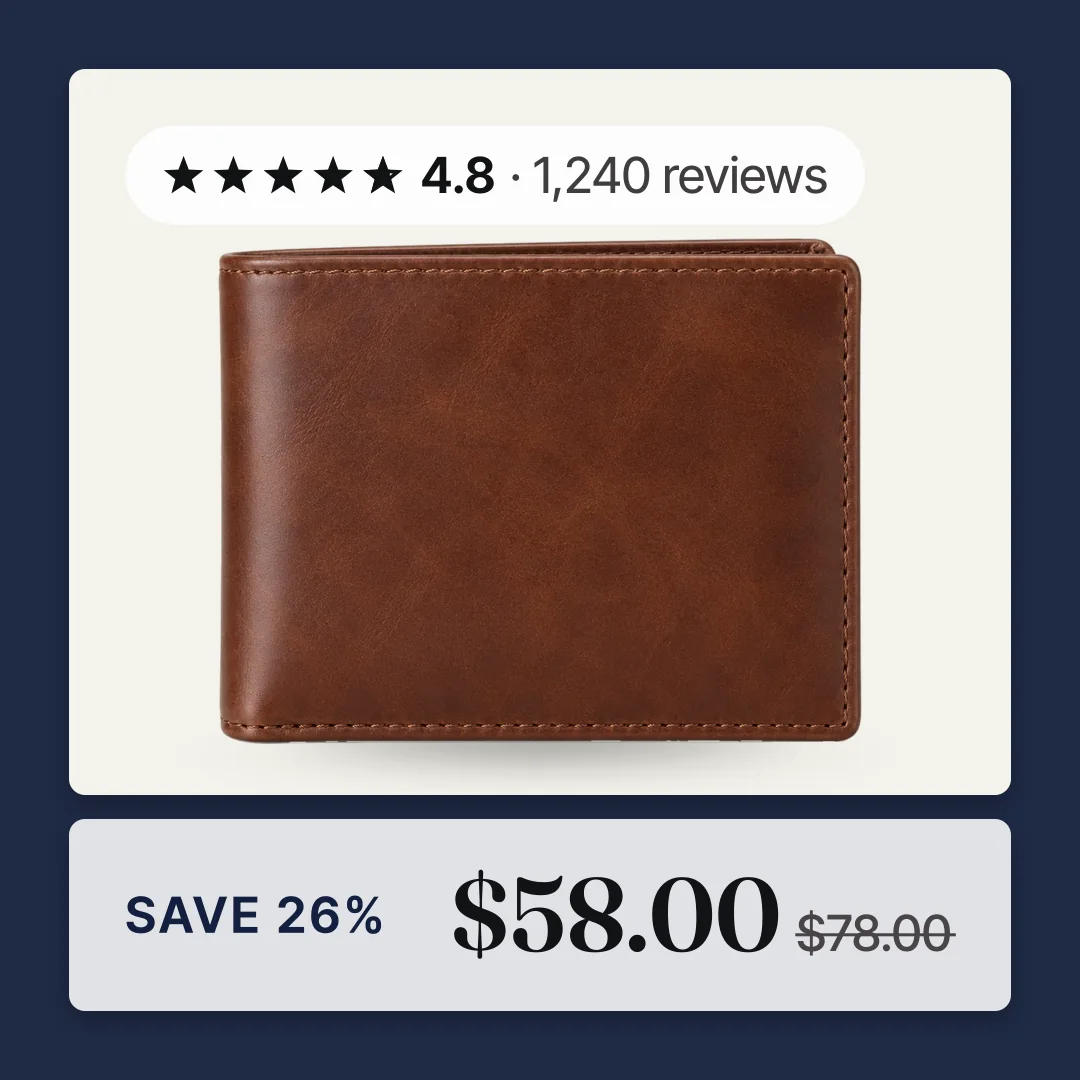
A design from a third party tool that is drawn into the product image itself. The store name, price or badge is part of the picture, so it shows on every placement. See catalog ad templates.
Learning and results
Learning phase
The time when Meta tests how to deliver a new ad or ad set. Meta says ad sets are less stable then and usually cost more per result.
Significant edit
A change that sends an ad set back into learning. Meta lists any change to targeting or ad creative, among others. See does changing catalog images reset learning.
Learning limited
What Ads Manager shows when an ad set is not getting enough results to finish learning.
ROAS
Return on ad spend. It is your sales from ads divided by what you spent on them. See catalog ads ROAS.
Break even ROAS
The ROAS where you make no profit and lose no money. It is one divided by your profit margin. Below it, your ads lose money.
Meta Pixel
A bit of code on your site that tells Meta what shoppers do, like view or add to cart. Catalog ads need it, or the SDK in an app.
If you want your catalog ads to look like a designed ad, try the free preview with your store link. Plans are on the pricing page.
For more on two of these terms, read product sets for catalog ads and dynamic overlays explained.
Questions
- What is the difference between DPA and catalog ads?
- There is no real difference. DPA, dynamic ads, catalog ads and Advantage+ catalog ads all name the same kind of Meta ad. DPA and dynamic ads are the older names.
- Is enhanced catalog ads a Meta setting?
- No. Enhanced catalog ads is not a Meta product name. People use it for catalog ads with creative enhancements on, or for catalog ads with branded images.
- How is a frame different from an image template?
- A frame is one graphic laid over each product image, and it ends after October 30, 2026. An image template has layers like price, text and shapes, and it replaces frames.
- Does a supplementary feed change my primary feed?
- No. Meta says your primary feed will not be changed. The supplementary feed overrides a field only where both feeds have it, matched on content ID.
See these badges on your own products before you pay anything.
Try the free previewFree for 10 products. See pricing.