Comparisons
Convinci vs making catalog ads (DPA) by hand in Canva
Convinci team. Published 2026-09-26, updated 2026-09-26.
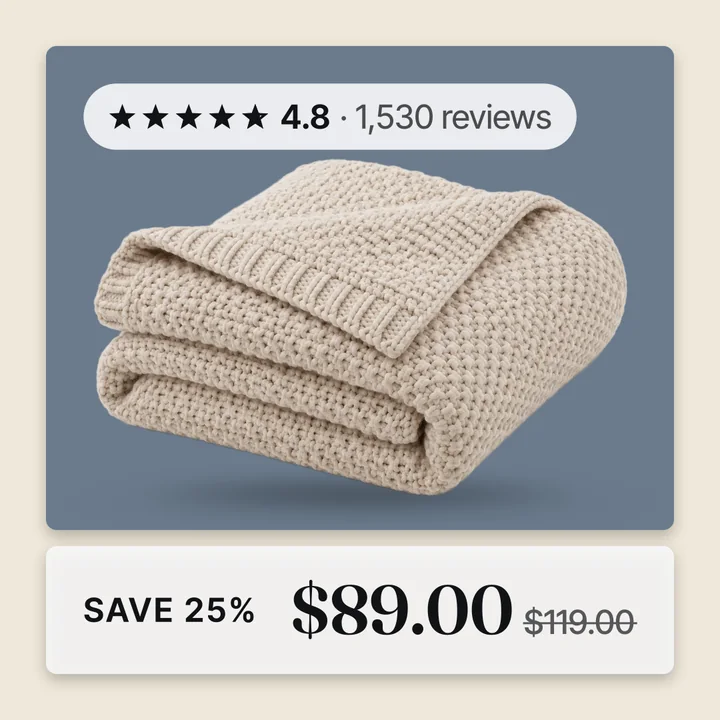
Your catalog ads (also called dynamic product ads, or DPA) show plain product photos on white. You know a design tool, so the first idea is to make better cards yourself. Canva is a common pick for this. It is a good design tool, and for a few cards it works fine.
The trouble starts when you do it for a whole catalog. This page walks through the real steps. Then it shows where the hand made way breaks, and when it is still the right call.
The short answer
Designing by hand is fine for a few hero products or a one off campaign. It is slow and fragile for a full catalog. Each card is a static image. When a price changes or a sale ends, the card is wrong until you redo it.
Convinci builds a card for every product from your store data. It keeps prices and sale badges in step with your catalog. It sends the cards to Meta in a feed, so you do not touch your ads.
What doing it by hand takes
Here are the steps to put hand made cards into your catalog ads:
- Design one card for each product, with the photo, price, badge and logo.
- Export each card as a JPEG or PNG.
- Host each image at a public link.
- Get the new links into your Meta catalog.
- Check each product in Commerce Manager to see the new image.
- Redo the cards each time a price, sale or product changes.
Step 4 is the hard one. You have two ways in. You can build a supplementary feed that sets image_link for each product. Or you can replace the photos in Shopify, which changes your store too.
Where the hand made way breaks
A card you made by hand is a picture. It does not know what your store is doing. Here is where that hurts.
- Prices change. The price on the card stays the same. Now your ad shows one price and your store shows another.
- A sale ends. The SAVE badge stays on the card. Shoppers click for a deal that is gone.
- New products come in. They show up with plain photos until you design their cards.
- You have 1,000 products. Every step above now runs 1,000 times.
- Meta needs a new link. If you replace an image through a feed, Meta says "the new image must have a different URL". So you cannot just save over the old file.
- Shopify is your store too. If you swap the photos in Shopify, your product pages show the ad cards. Most stores do not want a sale badge on the product page.
There is one more catch. Meta has a product image page with tips. It advises against text that shows "time-sensitive information like temporary price drops." A stale card is the exact case that advice warns about.
What Convinci does for you
Convinci does the same job from your store data. You paste your store link, look at your ads, and press Publish. Setup takes under 2 minutes.
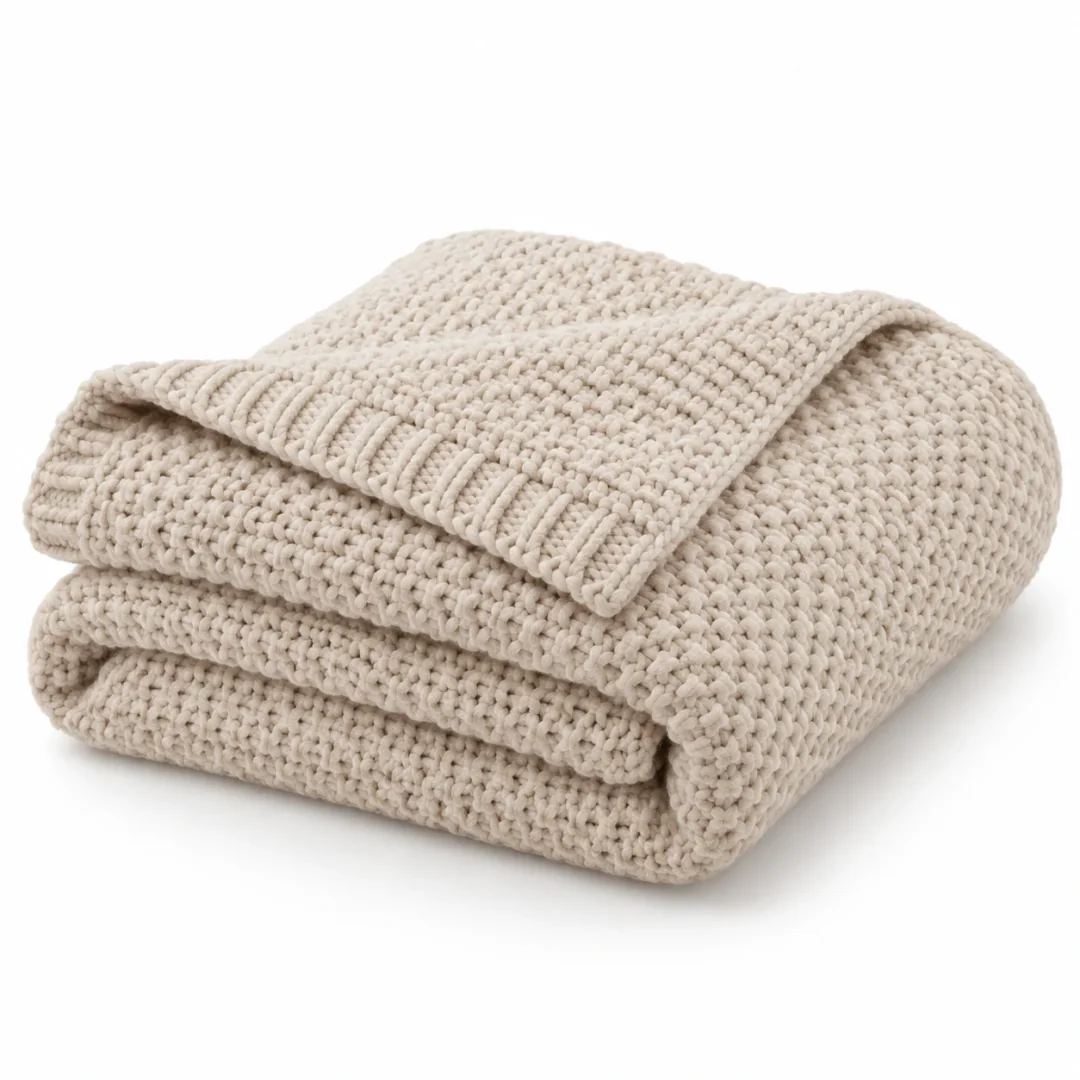
Here is the same throw after Convinci. It sits on a colored ground in a frame, with the rating, a SAVE 25% badge and the sale price.
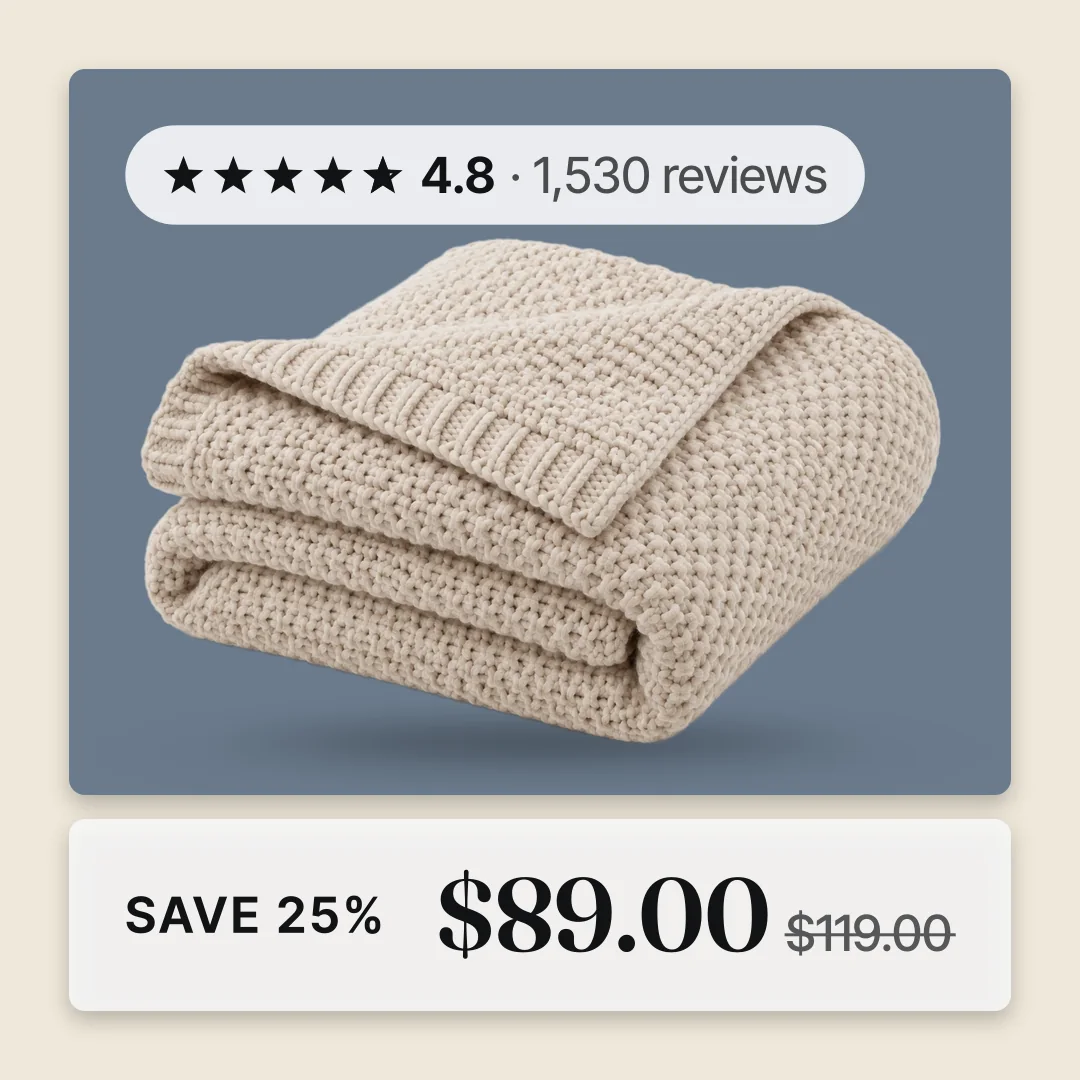
Each card can show:
- Your store name or logo.
- The price.
- A sale badge with the real percent off, from your compare at price.
- A star rating and review count.
- A lifestyle photo inset.
If there is no compare at price, the badge says SALE. It never makes up a discount. There are three designs: A Frame, B Pane and C Four Corners.
Convinci sends the cards to Meta in a supplementary feed. That feed swaps the image link only. Your campaigns, ad sets, ads, prices and stock are not touched. Your Shopify product pages stay as they are. Delete the feed, and Meta puts the plain photos back on the next fetch.
Meta fetches a scheduled feed at most once an hour. New images usually show in your live ads the same day.
Count the cost of your own time
We will not guess how long a card takes you. You know that better than we do. Do this sum instead:
- Count the products in your catalog.
- Time how many minutes one card takes you, from design to upload.
- Multiply the two.
- Now count how many times a year your prices or sales change.
- Multiply again.
That is the time you spend each year to keep cards right. Compare it with the Convinci plans on our pricing section. The free plan covers 10 product photos. Pro is $99 a month for up to 1,000 photos.
When Canva is the right call
Doing it by hand is the better pick in some cases. Be honest with yourself about which one you are.
- You push a few hero products. Five cards are fast to make and easy to keep right.
- You run a one off campaign. If the cards only need to live for a week, by hand is fine.
- You want a look nobody else has. A designer with a blank page can make anything. Templates, ours or anyone's, cannot match that.
If that is you, design by hand and use a supplementary feed to get the images in. Keep the price off the card if your prices move a lot.
Side by side
| By hand in a design tool | Convinci | |
|---|---|---|
| Best for | A few hero products, one off looks | Full Shopify catalogs on Meta |
| Work per product | Design, export, host, upload | None after setup |
| Price changes | Redo the card | Card follows your catalog |
| Sale ends | Redo the card | Badge follows your compare at price |
| New products | Design a new card | Card is made for you |
| Getting it into Meta | Your own feed, or replace Shopify photos | Supplementary feed, done for you |
| Your store pages | Change if you swap Shopify photos | Stay as they are |
| Custom look | Anything you can design | Three designs plus your brand kit |
How to try it
See what your own catalog looks like as cards. The preview on the home page is free and needs no account and no card. For more on how the cards reach your ads, read catalog ad templates and how to add sale badges.
Questions
- Can I use Canva images in Meta catalog ads?
- Yes. Export each card, host it at a public link, and set that link as the image in a supplementary feed. You can also replace the photos in Shopify, but that changes your store pages too.
- Why do hand made cards go out of date?
- A hand made card is a fixed picture. When a price changes or a sale ends, the card still shows the old price or badge. You have to redo it by hand each time.
- Will replacing product photos in Shopify change my store?
- Yes. Your product pages use those same photos. If you put ad cards in Shopify, shoppers see the badges and prices on your store too. A supplementary feed avoids that.
- Can I keep the same image link?
- Not through a data feed. Meta says that if you replace an image via a feed, "the new image must have a different URL". Give each new card its own link.
- When is doing it by hand better than Convinci?
- When you only push a few hero products, run a short one off campaign, or want a custom look no template can give. For a full catalog that changes often, Convinci saves you the redo work.
See these badges on your own products before you pay anything.
Try the free previewFree for 10 products. See pricing.