Product feeds
How long until catalog changes show in Meta catalog ads (DPA)?
Convinci team. Published 2026-09-26, updated 2026-09-26.
 Your store
 Your card
It depends on how the change gets to Meta. A Shopify sync is quick. A scheduled feed waits for its next fetch. And an image change needs one extra thing, or it never loads at all.
Here is each path, with Meta's own words on timing.
The short answer
| Change comes from | How fast it reaches the catalog |
|---|---|
| Shopify, through the Facebook and Instagram app | "Every few minutes," per Meta |
| A scheduled data feed | On your schedule: hourly, daily or weekly |
| A supplementary feed on a schedule | On its own schedule, hourly at best |
| A new image at the same URL | Not picked up. Use a new URL |
After the catalog updates, your live ads use the new data. Meta does not publish an exact time for that last step.
Shopify syncs: every few minutes
If your catalog comes from Shopify, you manage products in Shopify. Meta's page on managing your catalog with Shopify says updated product data "will sync to your catalog in Commerce Manager every few minutes."
That covers prices, stock, titles and photos. You can see the latest syncs in Commerce Manager, under Catalog, then Data sources.
Photo order needs a nudge. Meta's page on Shopify image syncing says to reorder photos, then make another small change and save. That sends the new order. Our page on how Shopify photos become catalog images covers the details.
Scheduled feeds: on the schedule you set
If you upload a feed file, Meta fetches it on a schedule. Meta's scheduled feeds page says you can update your catalog "hourly, daily or weekly."
Meta's own tip: set the schedule just after you usually update the file. Its example is a file updated daily at 9 am, with a fetch at 9:15 am.
A supplementary feed works the same way. It has its own schedule. For anything time sensitive, like a sale, set it to hourly.
Images: only when the URL changes
This is the one that catches people. Meta's product data spec says to "change the image URL" when you replace an image. That is how Meta knows to fetch it again.
Meta's products not showing page says it plainly. "Your catalog only recognizes that a product image has changed when the link changes."
So if you save a new photo over the old file at the same link, Meta keeps the old one. For the same reason, Meta advises against placeholder images like "Image coming soon."
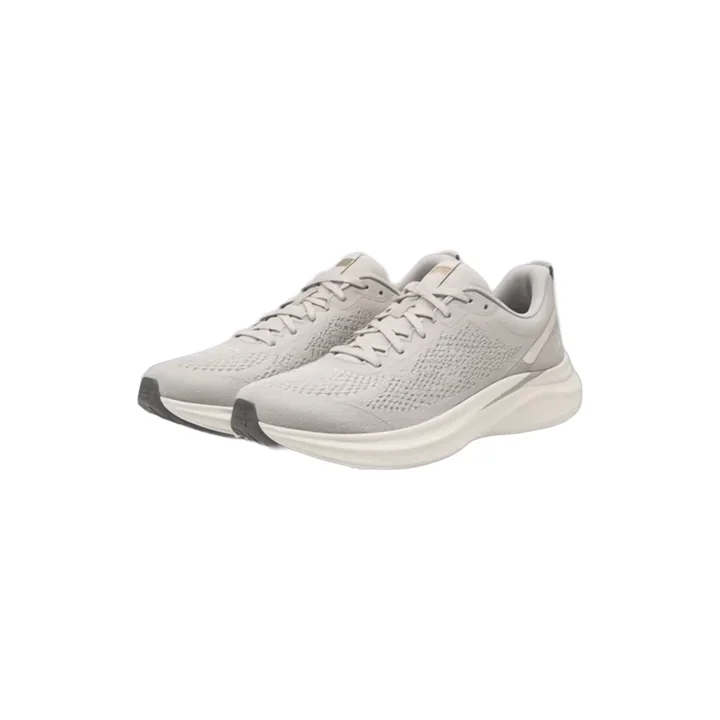
Good image tools give every new image a new URL. Convinci does. When you change a design, each card gets a new link, and Meta fetches it on the next feed fetch. Here is one of those cards, a candle from the Northbank Supply sample store.

The rating and price are sample data.
From catalog to live ads
Once your catalog has the new data, your ads use it. Catalog ads (also called dynamic product ads, or DPA) build each card from the catalog when they serve. So the ad itself does not need an edit.
That matters for learning. Meta lists "any change to ad creative" as a significant edit. A catalog update is not on that list. Read does changing catalog images reset learning for what Meta does and does not say.
Some reports lag more. Meta's match rate page says match rate shows the last 28 days "with a 48-hour delay". So a pixel fix can take up to two days to show there.
How to make changes show faster
- On Shopify, save the product after any change, and check Data sources for the sync.
- Set scheduled feeds to hourly for anything time sensitive.
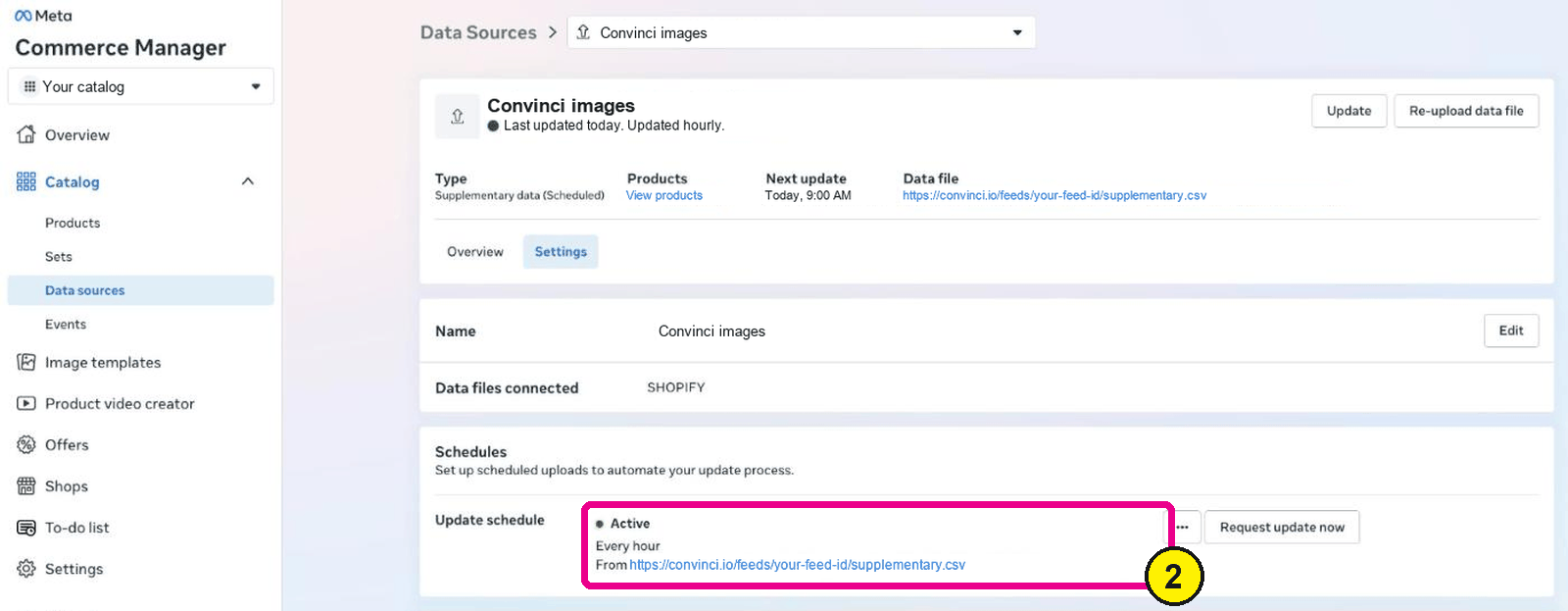
Commerce Manager, Data sources, your feed, Settings. Screens as of Oct 2026. - Give every new image a new URL.
- Check one product in Commerce Manager, under Catalog, then Products.
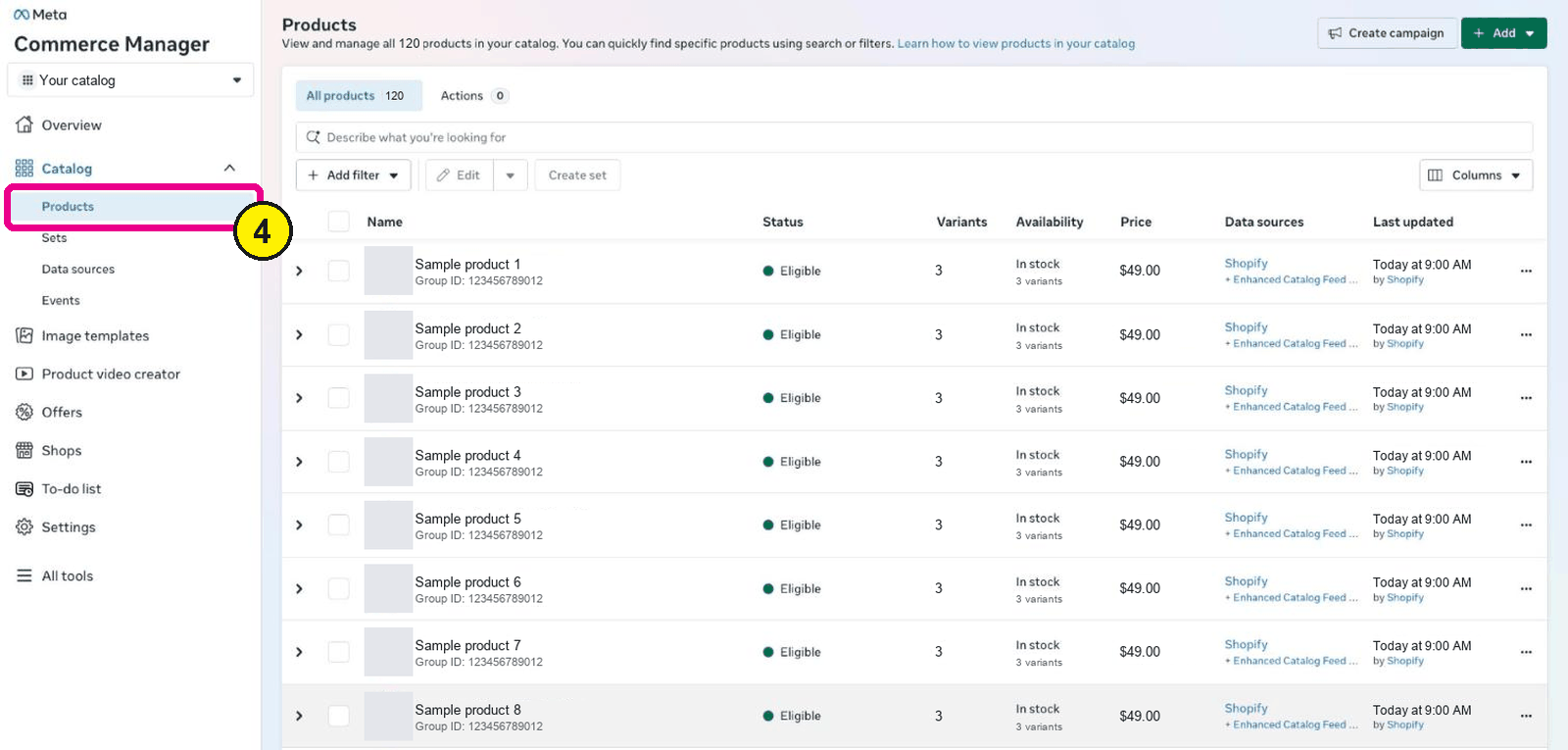
Commerce Manager, Catalog, Products. - Plan sale changes a day ahead, so a slow fetch does not cost you the first hours.


Convinci can also switch your images at a set date and time, like the start of a sale. See your own products as designed cards in the free preview. Plans are on the pricing section.
Questions
- How often does Shopify sync to my Meta catalog?
- Meta says updated product data from Shopify syncs to Commerce Manager every few minutes. You can check the latest syncs under Catalog, then Data sources.
- How often does Meta fetch a scheduled feed?
- As often as you set it. Meta's scheduled feed page says you can update your catalog hourly, daily or weekly. For sales and price changes, choose hourly.
- Why is my new product image not showing?
- Meta only fetches a new image when the image URL changes. If you replaced the file at the same link, Meta keeps the old one. Upload it at a new link.
- Do I need to edit my ads after a change?
- No. Catalog ads use the current data in your catalog. Editing the ad itself is a change to ad creative, which Meta lists as a significant edit.
- How long does match rate take to update?
- Meta says match rate covers the last 28 days, with a 48 hour delay. A pixel fix can take up to two days to show.
See these badges on your own products before you pay anything.
Try the free previewFree for 10 products. See pricing.