Catalog ads
Catalog ads for fashion and accessories stores
Convinci team. Published 2026-10-07, updated 2026-10-07.
Fashion is the category catalog ads (also called dynamic product ads, or DPA) were made for. Lots of products, lots of variants, shoppers who browse and come back. It is also the category where a plain white photo hurts most. Clothes sell on how they look worn, and a feed photo shows them flat.
This guide is for stores that sell clothing, shoes, bags, eyewear and jewellery on Shopify. It covers the photo, the five things to put on it, variants, drops and sales, and the layouts that suit each kind of product.
Start with the right photo
Your feed sends Meta the first image on each product. For fashion that is usually the flat, white background packshot. Good for a product page. Weak in a feed full of people.
You have two better options.
- Lead with the lifestyle shot. The model shot, the street shot, the flat lay with props. Put it in a panel or beside the packshot, so the product is still clear.
- Keep the packshot but give it a ground. A soft colour behind the item, with the brand and the price around it. This is the fix for a white photo in a dark feed.
Shoes and accessories work well as a split. Packshot on one side, the item worn on the other.
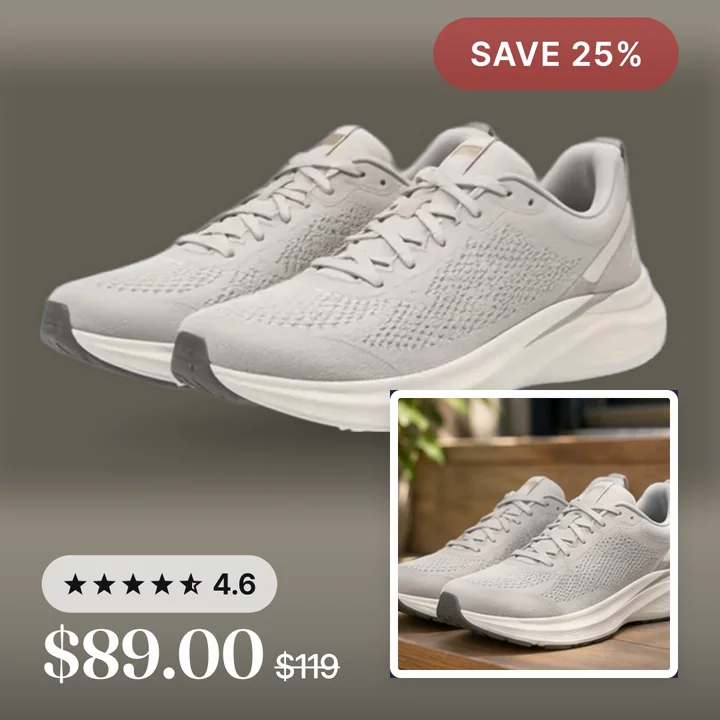
The shoe above keeps the clean product shot and adds the lifestyle photo in the corner. The price, the badge and the rating sit where Reels and Stories do not cover them. See image size and specs for the safe zones.
The five things to put on a fashion card
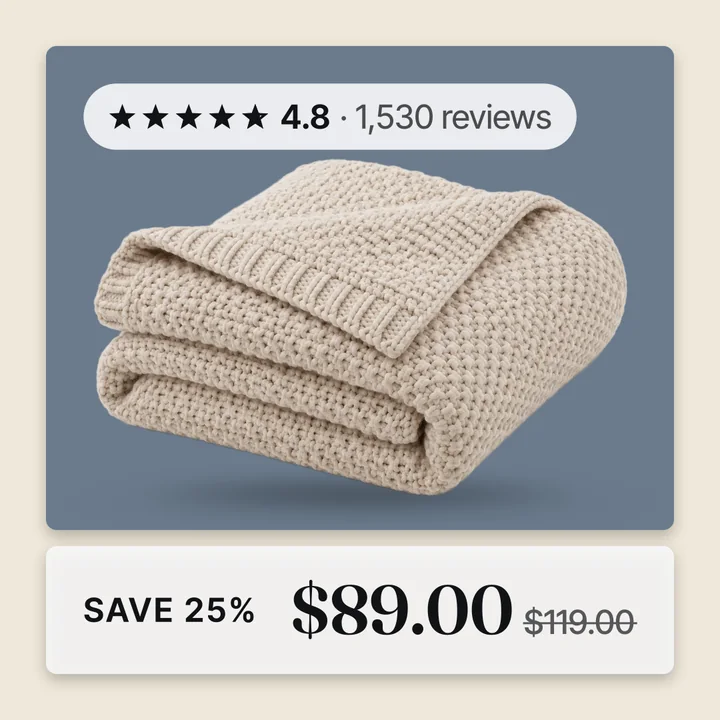
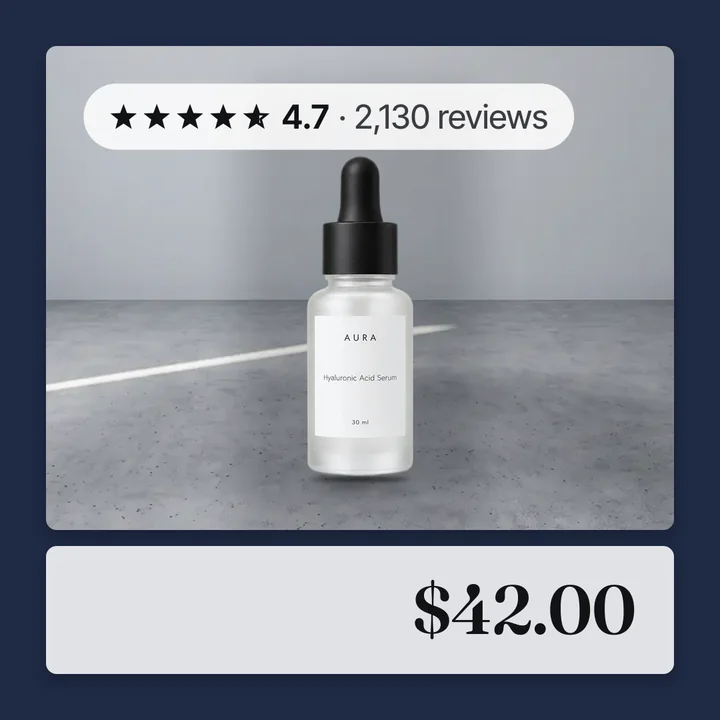
- The price, large. Fashion shoppers compare. A price they can read at a glance keeps them from tapping away to check.
- A true sale badge, only on sale lines. Read the percent off from the compare at price. A badge on every product trains shoppers to ignore it. See how to add sale badges.
- The rating and review count. A new brand with a 4.7 and 800 reviews looks like a safe buy. Put it on the card.
- A returns or shipping line. Fit is the fear. "Free returns" or "Free shipping over $75" answers it before the tap.
- Your mark. A small logo or store name in a corner. The product stays the hero.
Leave off the long title. Meta prints the name under the image already.
Variants, colours and sizes
A fashion feed has one product in six colours and seven sizes. How that lands in the catalog decides how your ads look.
- Shopify sends each variant with its own image when the variant has one. A variant with no image inherits the product's first image. Set a colour image on every colour variant, or every colour shows the same photo. Read how Shopify photos become catalog images.
- Meta groups variants with the
item_group_idfield. Shopify sets it for you. Meta can then pick the colour the shopper looked at. - Keep size out of the image. The card is the same for every size, and a size on the image is wrong for most shoppers who see it.
- Out of stock sizes still have an image. Read out of stock products in catalog ads for how Meta handles availability.
A good rule is one designed image per colour, never per size.
Drops, seasons and sales
Fashion runs on a calendar. The catalog image can follow it without editing an ad.
A new drop. Give the new collection a product set and a layout with no badge. Let the lifestyle shot carry it. A sale badge on a launch makes it look like last season.
End of season. Mark down the lines in Shopify with a compare at price. The badge picks up the real percent on those products only. Nothing else changes.
A site wide sale. Set the compare at price across the catalog and every card shows its own percent off. When the sale ends, remove the compare at prices and the badges go away on the next fetch. For a full plan read Black Friday catalog ads.
Because the change happens in the catalog, your ad sets are not edited. Meta lists changes to ad creative as significant edits. It does not list catalog image updates. Read does changing catalog images reset learning for the full answer.
Layouts by product type
| Product | Layout that suits it | Why |
|---|---|---|
| Clothing with model shots | Four corners, lifestyle shot in a corner | The worn shot sells, the packshot shows the item |
| Shoes | Frame or four corners | Shoes read well on a tinted ground with a border |
| Bags and wallets | Pane | A dark pane beside the bag holds the name, price and rating |
| Eyewear | Pane or frame | Small items need a ground and a close crop |
| Jewellery | Clean frame, no badge | A discount sticker makes a fine piece look cheap |
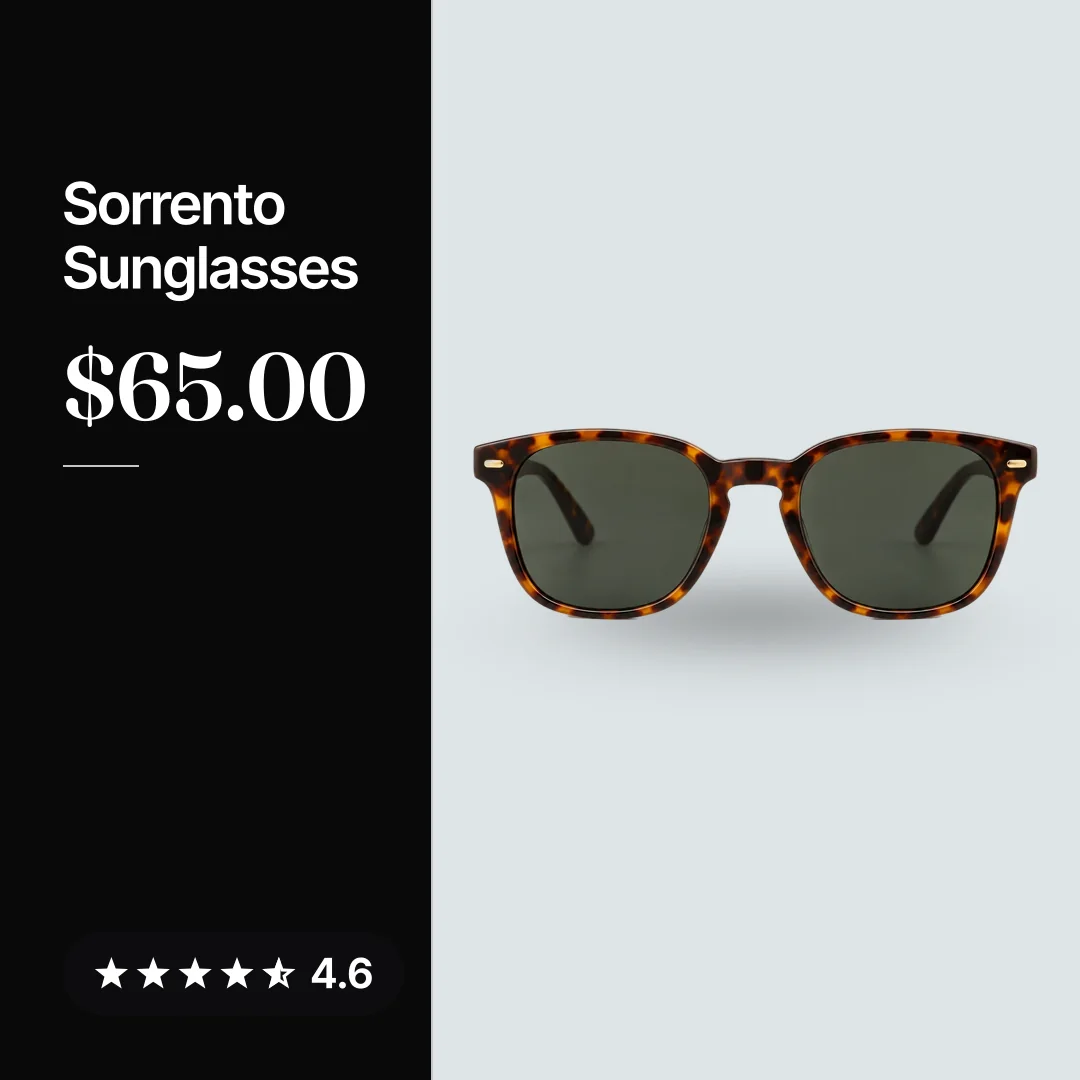
The sunglasses above use the pane. The product keeps its own space and the pane carries the facts. Read catalog ad templates for the full set.
Getting it onto every product
Doing this by hand for 400 products and six colours each is not a job anyone finishes. A catalog ad design tool draws one layout across the catalog and sends Meta the new images through a supplementary feed.
Convinci reads your Shopify store, draws the price, badge, rating and your mark onto every product and gives you one feed link. Paste your store link into the free preview to see your own products as cards. Plans are on the pricing page.
Questions
- What image size should fashion catalog ads use?
- Render at 1080 x 1080 or larger, as a JPEG under 8 MB. Use one ratio across the catalog, 1:1 or 4:5, so a carousel of several items does not get auto cropped by Meta.
- Should I put sizes on the catalog ad image?
- No. The image is the same for every size variant, so a size on it is wrong for most shoppers. Put the price, the badge, the rating and a returns line on the image. Leave size to the product page.
- How do I show the right colour in catalog ads?
- Give every colour variant its own image in Shopify. Shopify sends each variant with its image, and Meta groups them with the item group id. A variant with no image shows the product's first photo instead.
- Do sale badges on catalog images reset learning?
- The badge changes the catalog image, not the ad. Meta lists ad creative changes as significant edits and does not list catalog item updates. Meta also does not promise they never matter, so time a big change for a quiet week.
- Can a fashion store use lifestyle photos in catalog ads?
- Yes, and it should. Put the model or street shot in a panel or a corner beside the product shot. Convinci can give lifestyle photos one layout and white background photos another, across the whole catalog.
See these badges on your own products before you pay anything.
Try the free previewFree for 10 products. See pricing.